Redesigned Alert Management to Reduce Churn by 5%
Rethinking alert ownership, prioritization, and escalation in a hospital monitoring system
Design impact
I led the redesign of VSTNotify's alert system about how alerts get assigned, prioritized, and escalated.
My role
Framing the problem and defining the system-level approach
Leading research synthesis and strategy pivots
Designing core interaction patterns and information architecture
Partnering closely with engineers on implementation tradeoffs
Background
What is VSTNotify
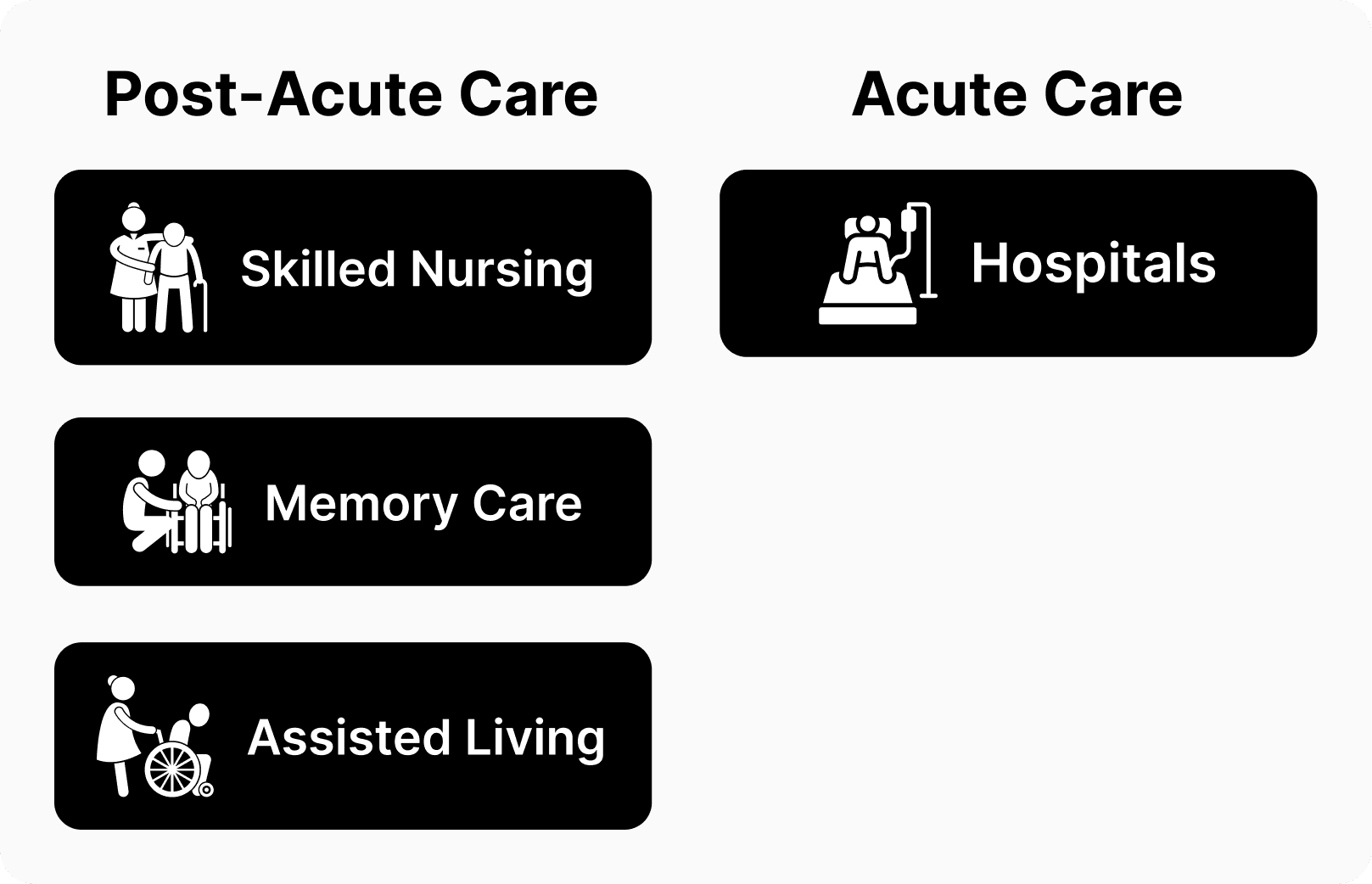
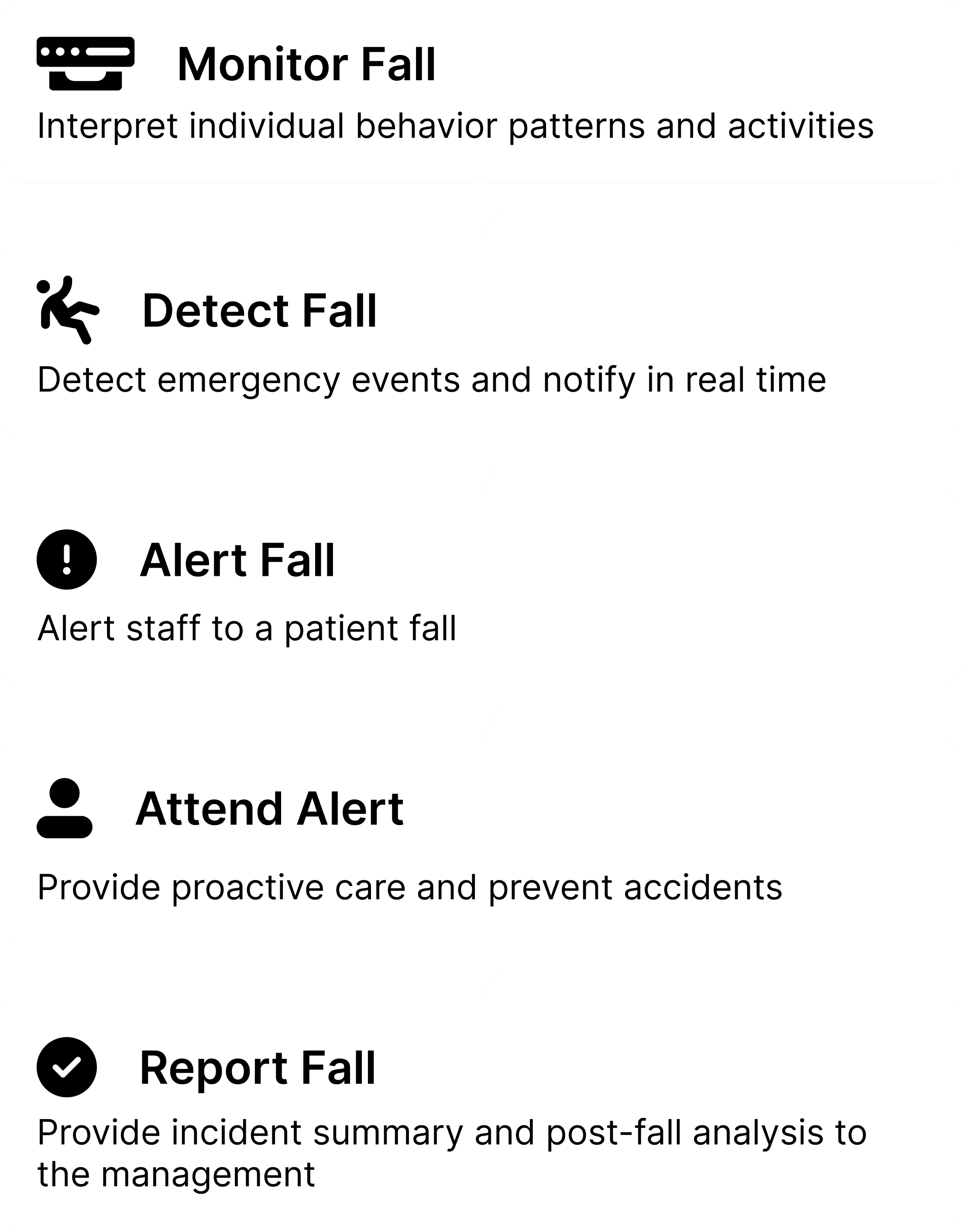
VSTNotify is an AI-powered, camera-based monitoring system designed for hospitals and senior living communities to detect falls, emergencies, and wellness trends in real time.
problem
Alert fatigue was driving customers away
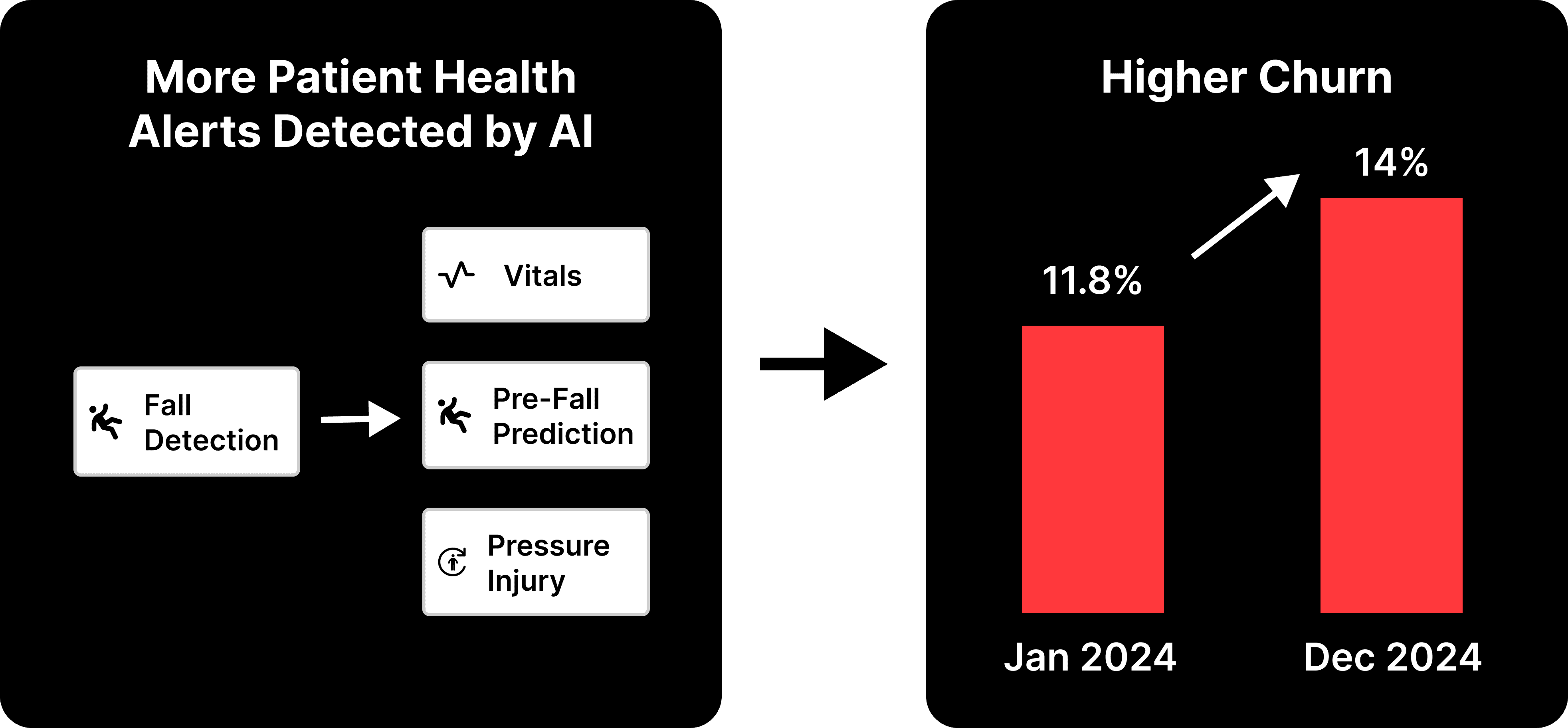
As VSTNotify scaled, alert volume grew but the system had no way to assign or prioritize them.
Nurses were overwhelmed, and it started affecting trust and retention. Churn rose from 11.8% to 14% over 2024, a ~20% increase.
Research
Initial research
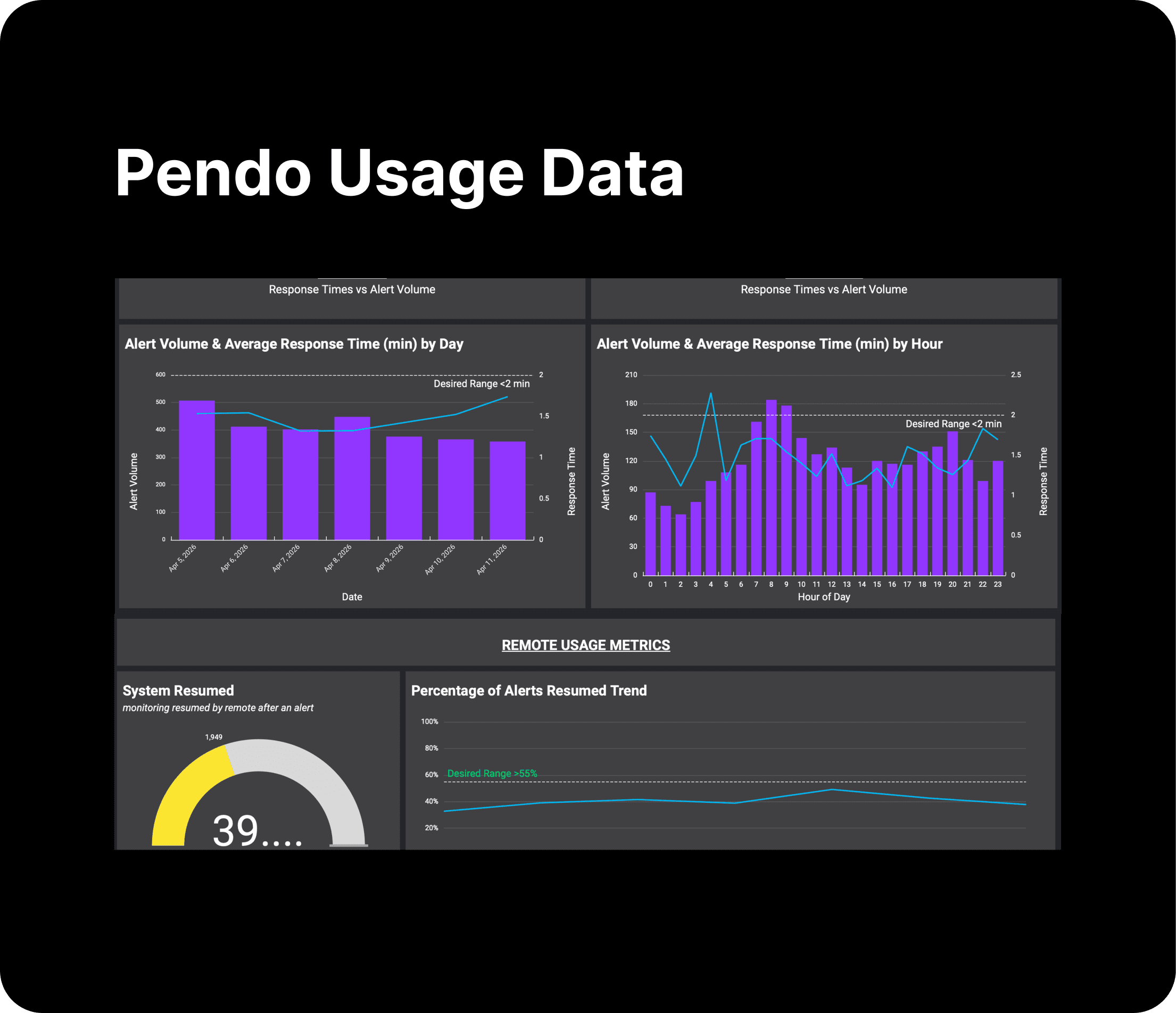
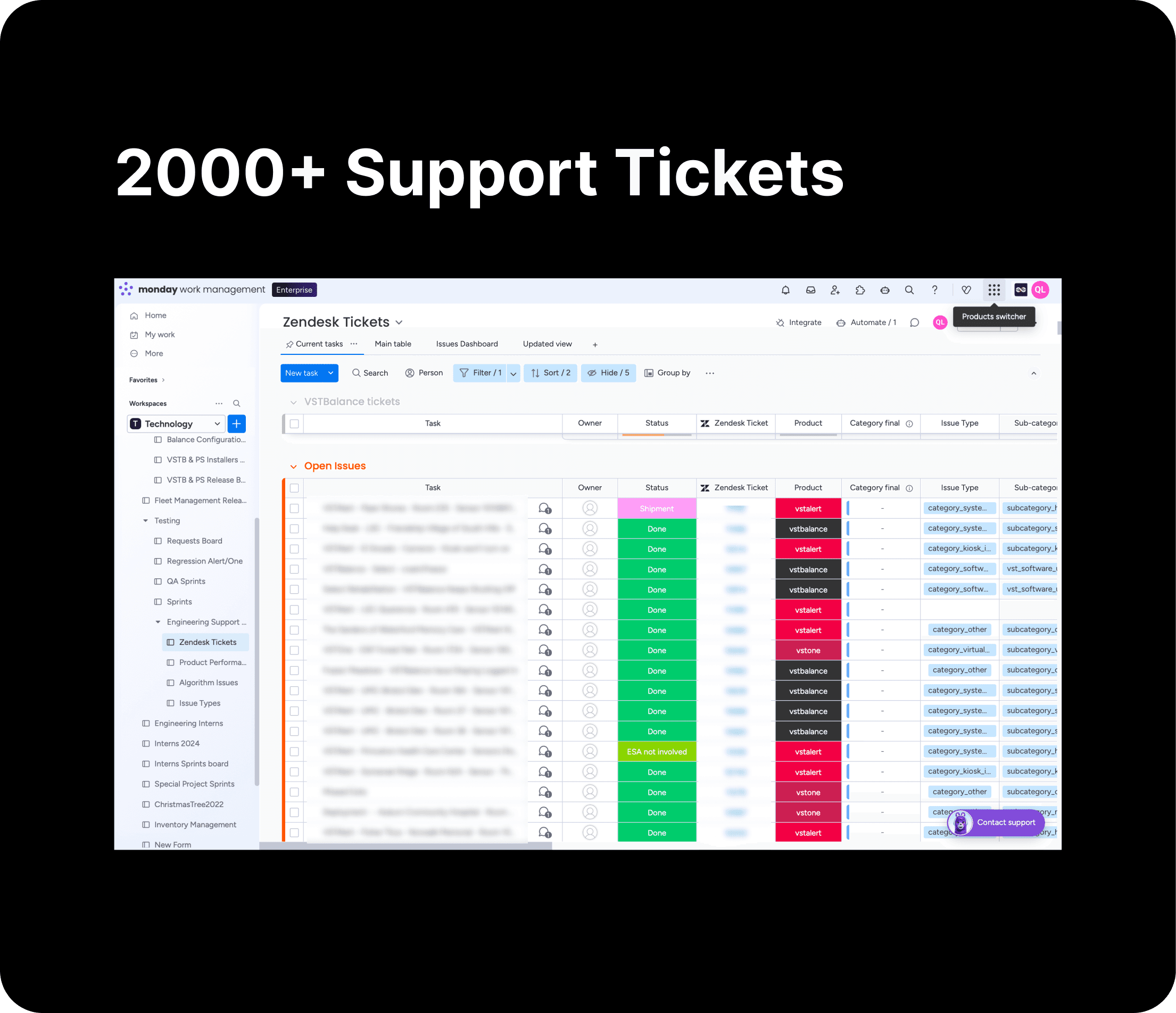
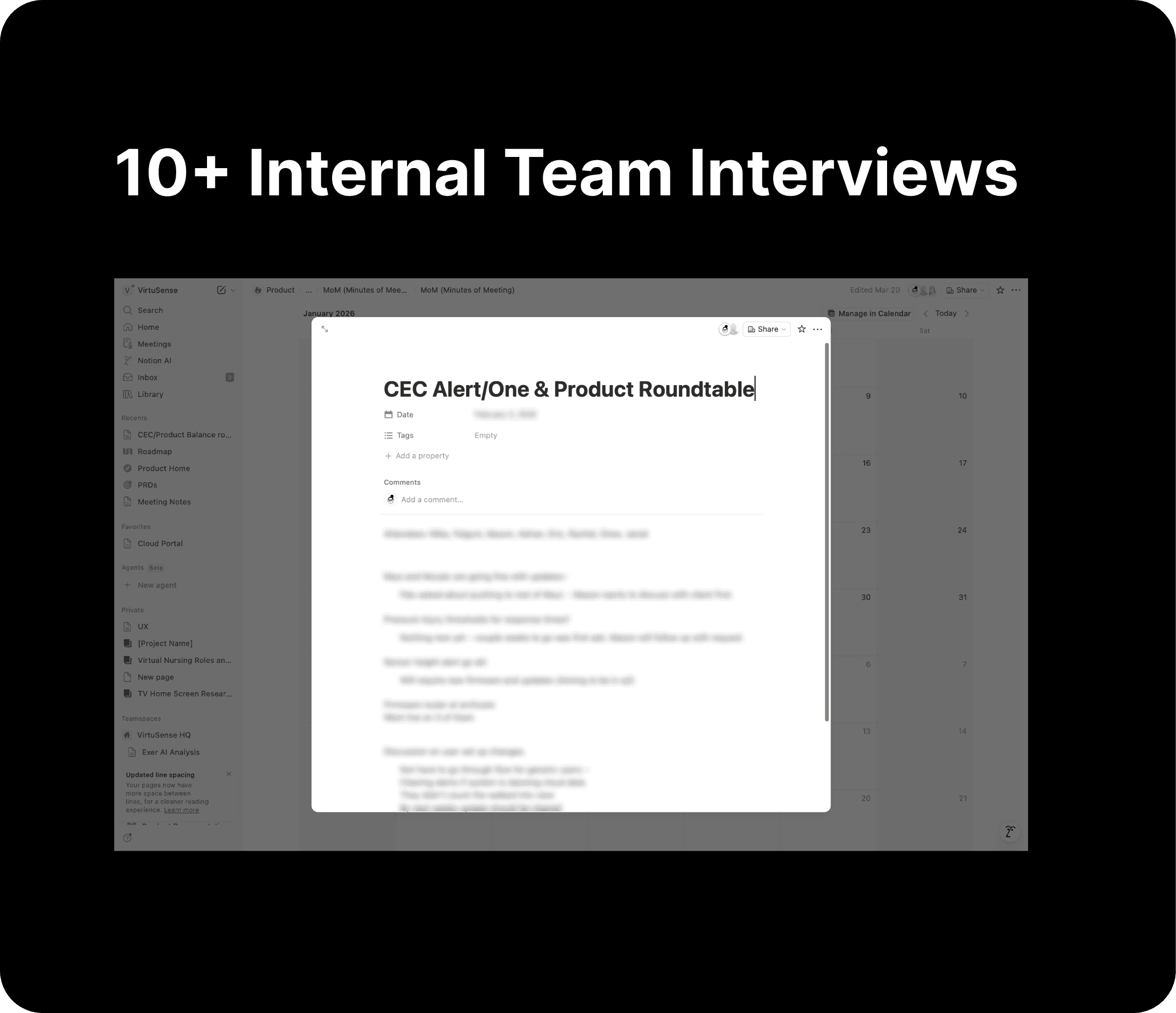
The research team was mid-reorg and I couldn't talk to users directly, so I worked with what I had.
Research
What I learned
After synthesizing Pendo data, support tickets, and CS interviews, the pattern was clear: managers were forced to track assignments outside the system, and leadership had almost no visibility into any of it, forcing care staff members to compensate with manual workarounds.
Pain Points in the Current Journey

Manual communication
Manager has to rely on messy communication to manage room assignments and monitor real-time alerts. They track rooms and update who’s responsible through calls, messages, or emails.

No clear path to resolve alerts
When multiple alerts come in, it’s unclear which to act on first or who should take it, and there’s no clear path to resolution.

Limited leadership visibility
Leadership has very limited visibility throughout the entire process. And will need to log on to a separate system for post-alerts incident review.

Problem 1+Solution 1
No alert ownership

As a nurse manager, I want to assign staff to rooms in one place so I stop tracking it across calls, texts, and emails.

As a care staff member, I want my room view to update automatically based on my assignment so I stop creating my own group filters.
Iterations
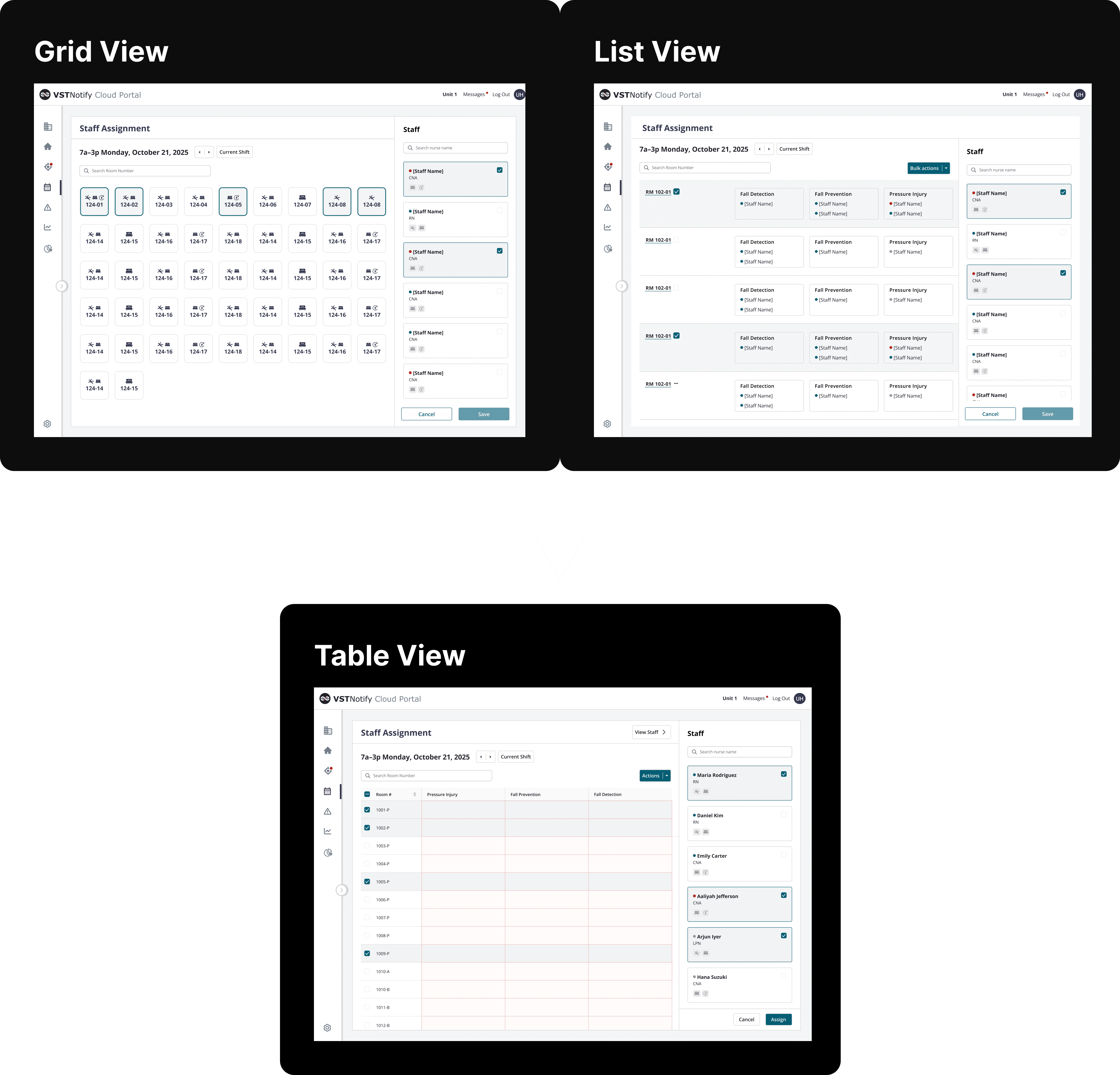
Through 5 usability testings with 20+ participants from post-acute and acute, I explored grid, list, and table views.
The staffing ratio difference made grid impossible. Table wasn't the pretty option, but it supported better visibility, bulk actions, and scalability as the system grows.
Solution: Room assignments to define clear alerts ownership
Manager (Charge nurses/nurse managers) assign staff to rooms during the shift, and alerts automatically route based on these assignments. Mid-shift updates can be made directly from the staff view, enabling quick reassignment without navigating to the room view.


Problem 2+Solution 2
No clear path to resolve alerts
As a care staff member, I want to see which alert is most urgent so I act on the right one first.
Iterations
When multiple alerts fire at once, nurses need to know at a glance: which room needs me right now? The original tiles didn't answer that question.
I went through five iterations and tested different ways to show urgency through state indicators, color, and icons. What finally worked was splitting the view into two tile types. Default room tiles show real-time alert status. A separate feed tile catches anything that's gone unaddressed for escalated alerts.
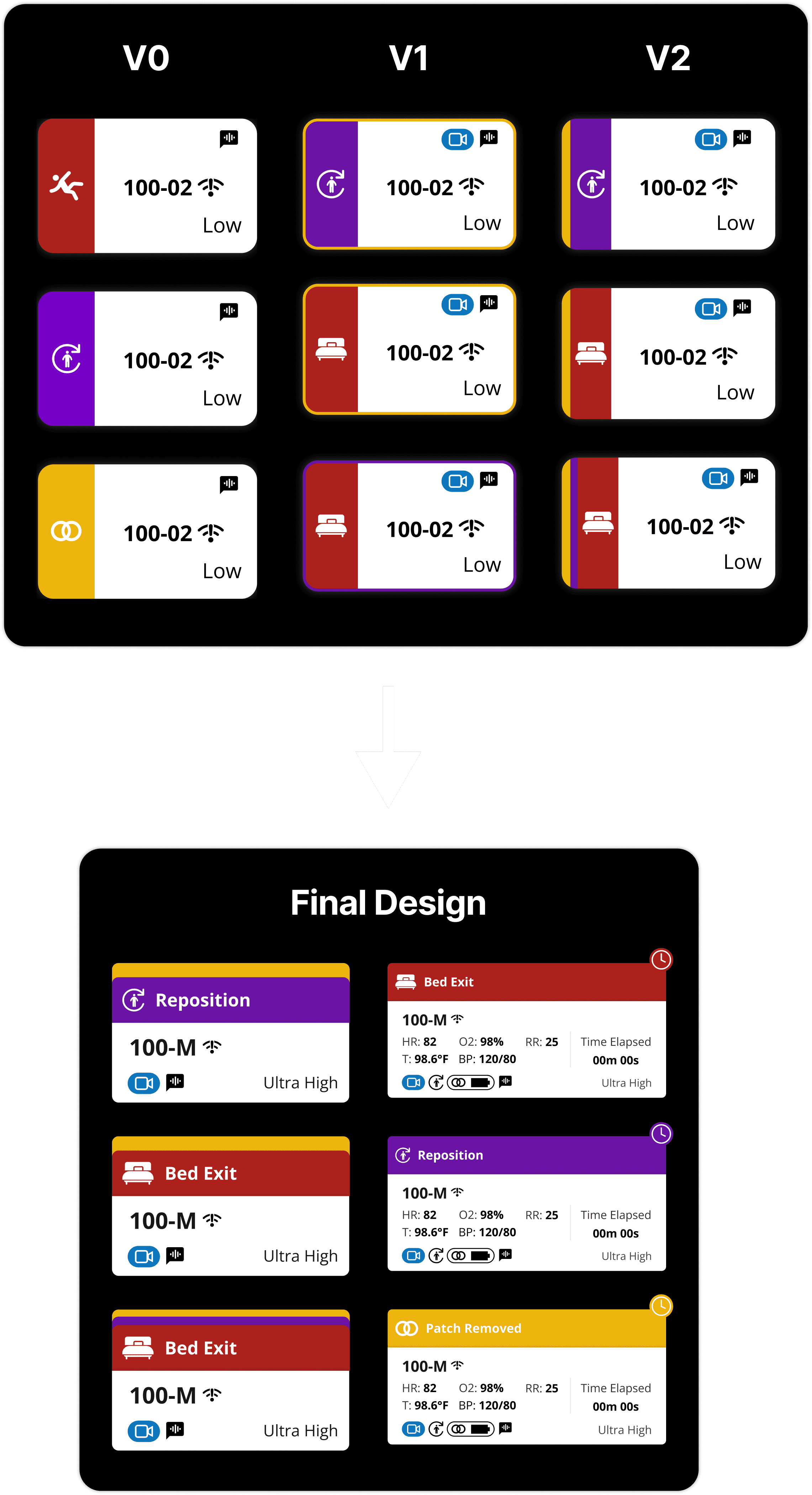
Solution: End-to-end alerts resolution path
A centralized feed provides visibility into rooms with active alerts, along with a clear activity log. Unresolved alerts are automatically surfaced to the top over time, helping staff stay focused on higher-priority items.

Problem 3+Solution 3
Limited leadership visibility

As a supervisor, I want to know how alerts are being handled across the floor without having to ask staff or check a separate system.
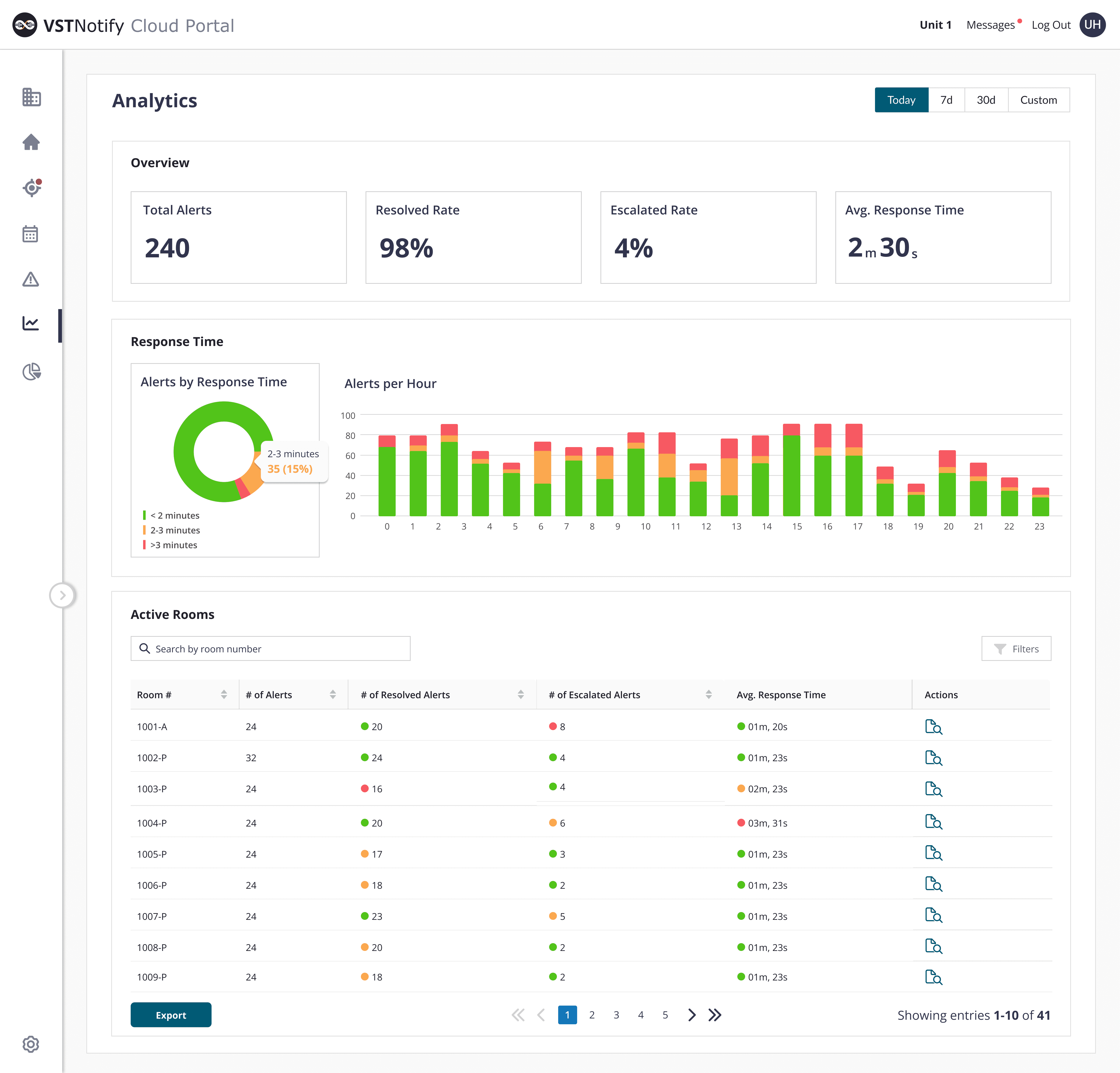
Solution: Alert analytics dashboard to provide visibility into post-alert review
Leadership can see alert response times, escalation patterns, and resolution rates in one place and no need to log into a separate system for post-incident review.
Outcome
Results
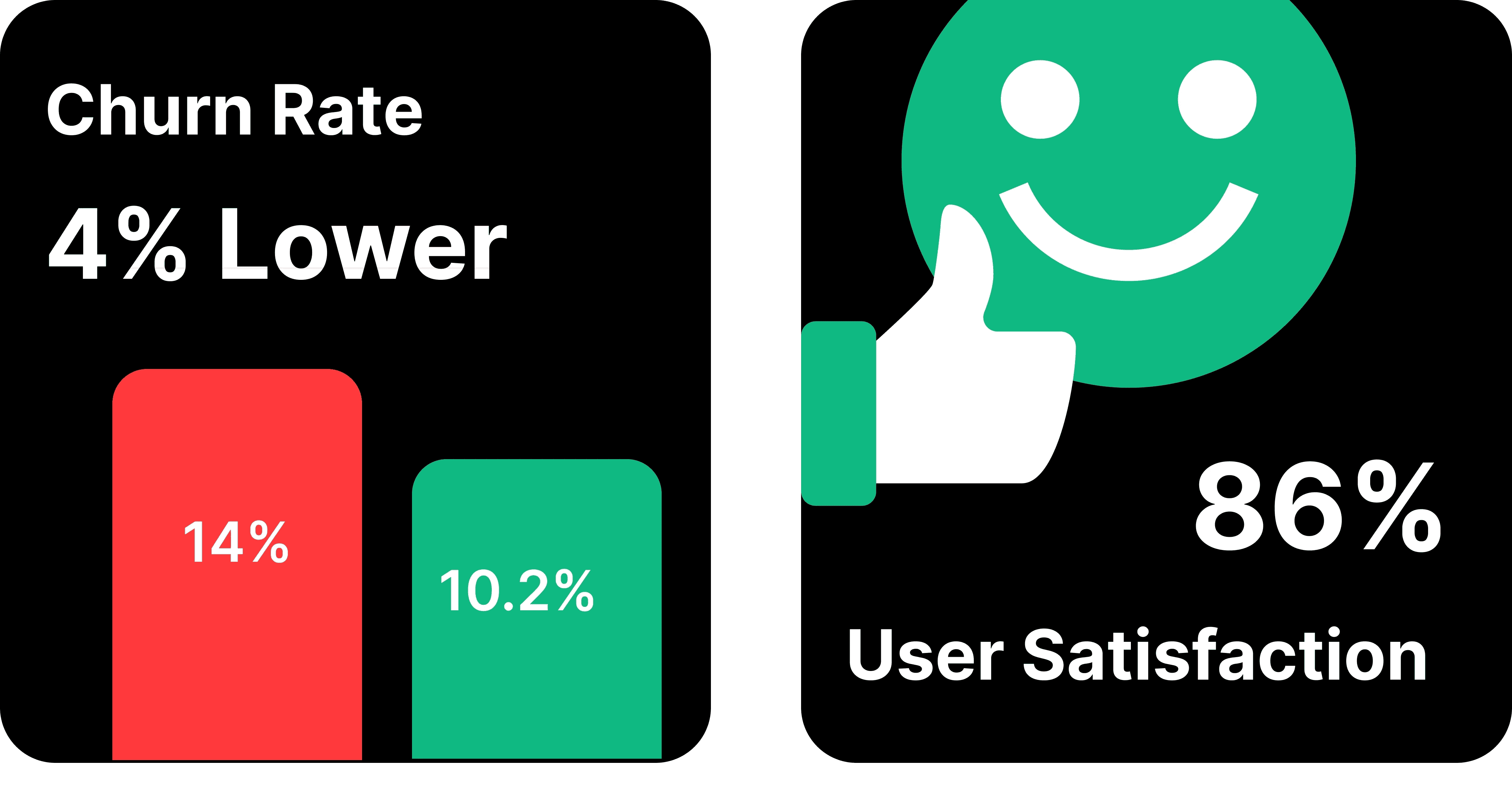
After the redesign, churn rate reduced by about 5% in early 2026. A follow-up survey showed a 15% increase in user satisfaction compared to Q1 2025.
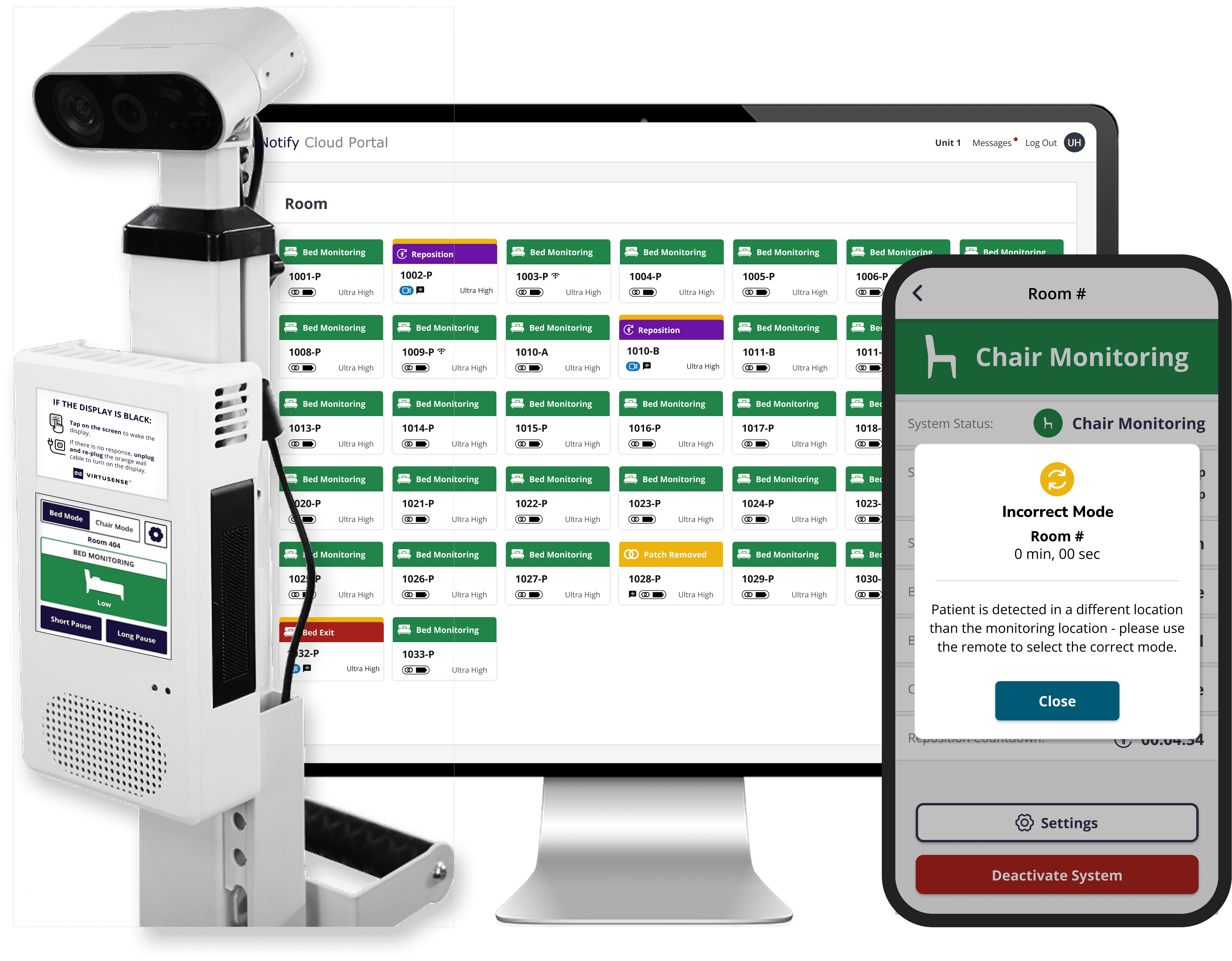
With the new experience now live at Emory Midtown, we’re seeing meaningful improvements in patient safety, a better patient experience, and stronger support for nurses in their daily work.”
— Jason Atkins, MBI, RN-BC, Vice President and Chief Clinical Informatics Officer, Emory Healthcare
Outcome
Takeaways
This project changed how I think about scope. Early on I almost went with quicker fixes: better filters, cleaner notifications. But the research kept pointing to something structural. If I only fixed the surface, we'd be back here in six months when alert types expand or staffing models shift.
That's why I pushed for the three-layer approach. It took longer to ship, but configure → assign → monitor gives us a structure that doesn't need to be redesigned every time something changes.