Advanced Open Context Dataset Search
Redesigning the dataset search and export workflow with Integrated data visualization
background
Open Context 2.0
Open Context is an open digital repository of cultural heritage and archaeology data run by the Alexandria Archive Institute. To date, the platform has published 150 projects, representing 2 million items contributed by more than 1,000 data authors.
For privacy purposes, the organization does not track users; thus, little is known about how current users interact with the platform. As the team embarks on a 2.0 build of the system, I was given the task to redesign the search page to make the system more user friendly, therefore improving overall search and download experience for users.
Problem
The Open Context search experience was not user friendly
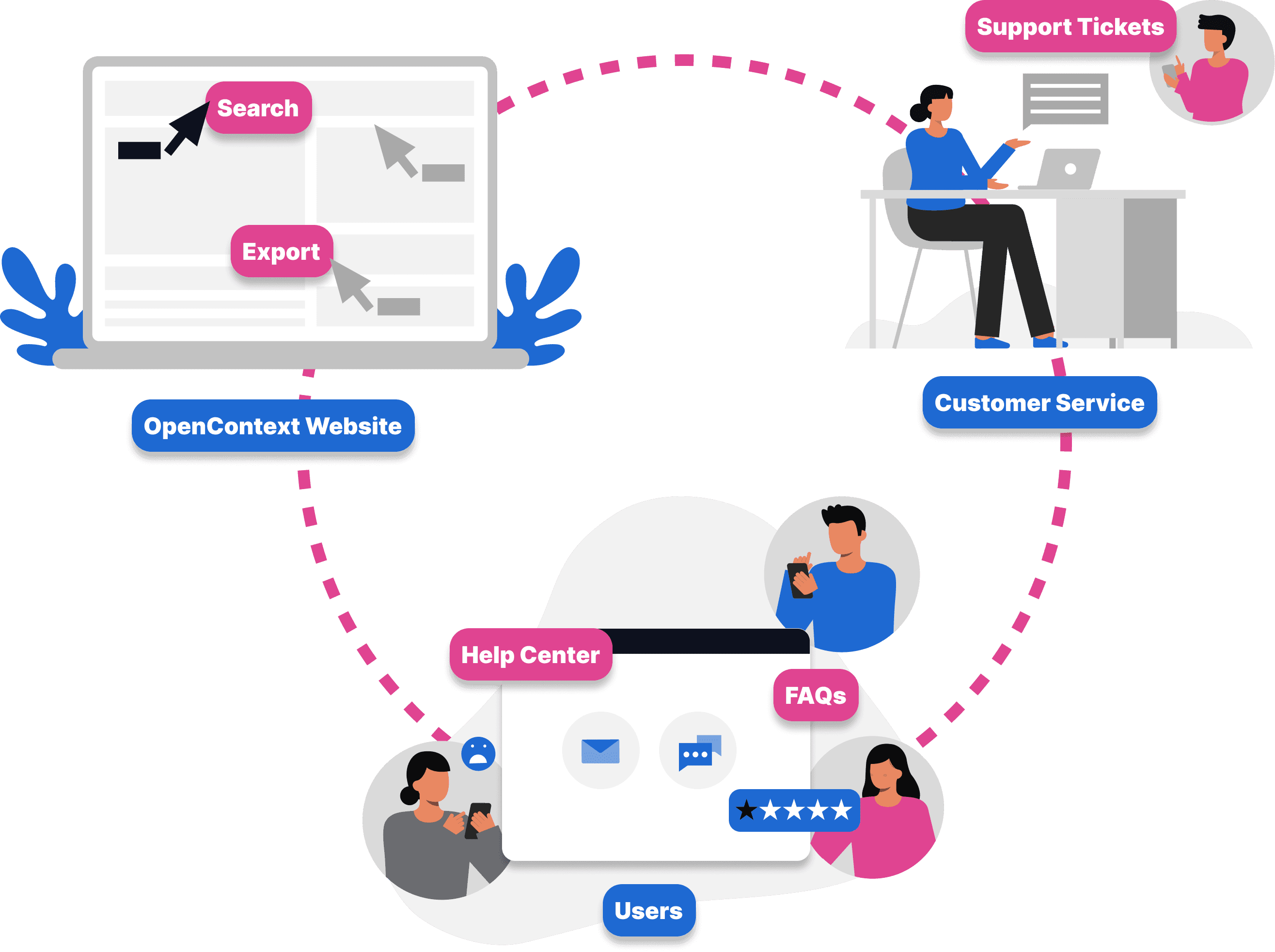
It was difficult for users to access, refine and export the dataset.
Solution
Final designs
Research
Understanding the competitive landscape and market
When reviewing Open Context’s direct and partial competitors, preservation and collaboration are dominant value propositions, with data as a secondary goal. In comparison, data visualization is a key tool in Open Context, emphasized by the placement of the results heat map at the top of search page.
Research
Understanding the system and core audience
When reviewing Open Context’s direct and partial competitors, preservation and collaboration are dominant value propositions, with data as a secondary goal. In comparison, data visualization is a key tool in Open Context, emphasized by the placement of the results heat map at the top of search page.
Research
Breakdown in the current experience
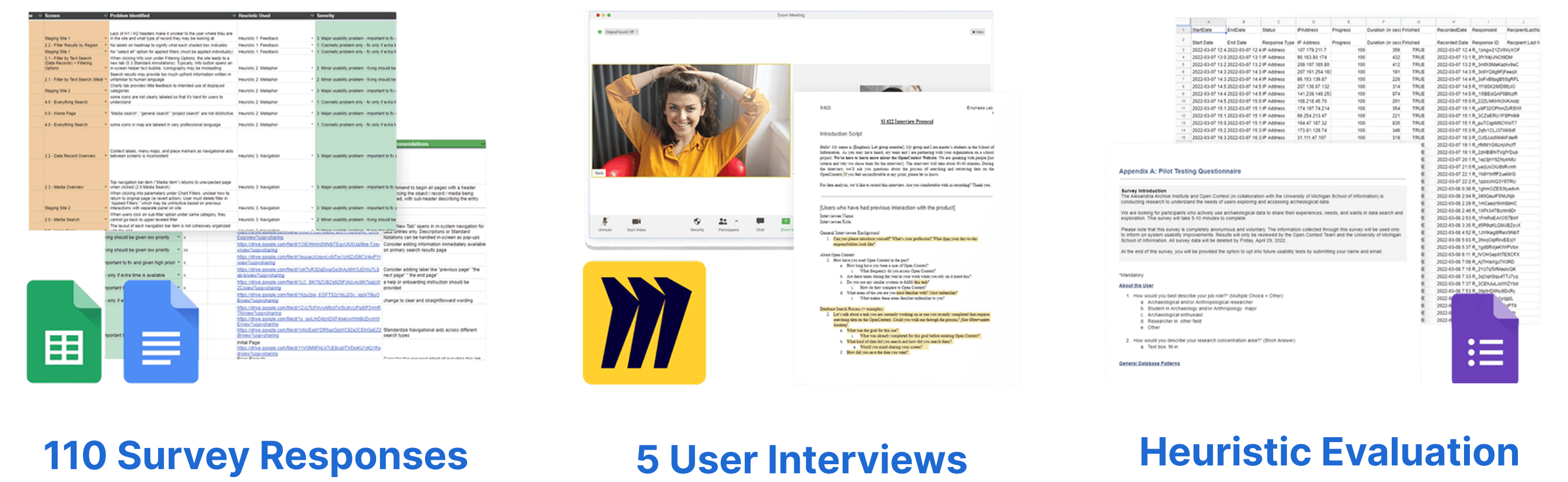
With user feedback gathered, I grouped pain points in the user experience.
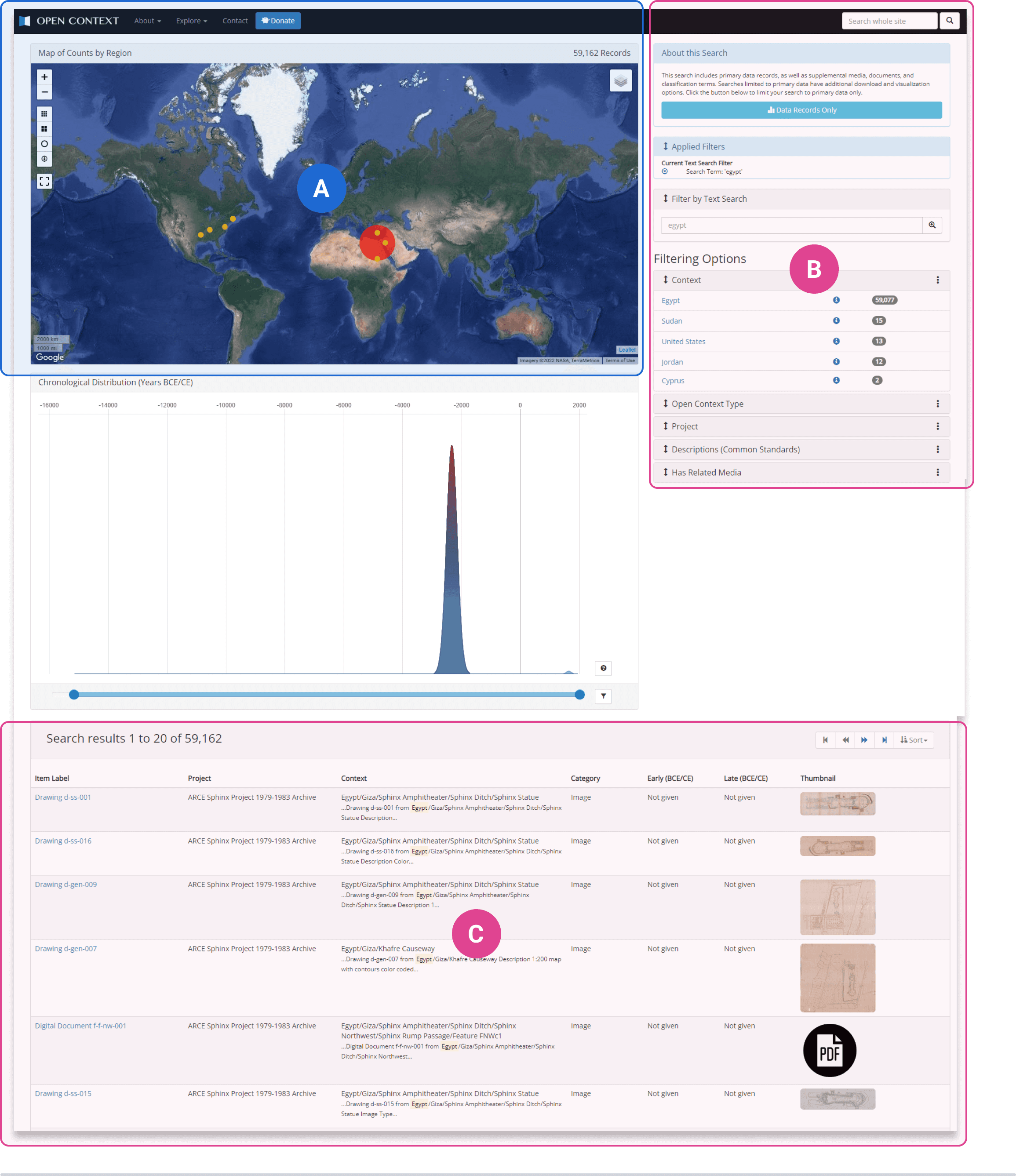
Commonly used features are neglected in the current visual hierarchy
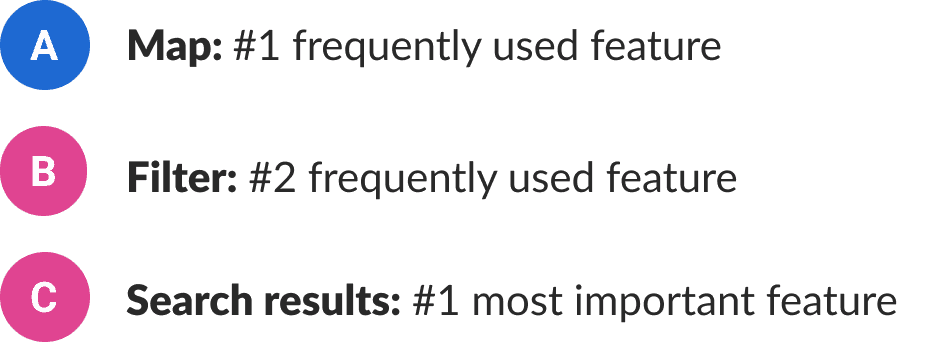
According to 80% of survey respondents, access to OpenData is the most important function in OpenContext, while data export remains high in frequency and relevance.
As ranked #1 most important and #2 frequently used features, filters and search results are ungrouped and it's hard for users to locate.
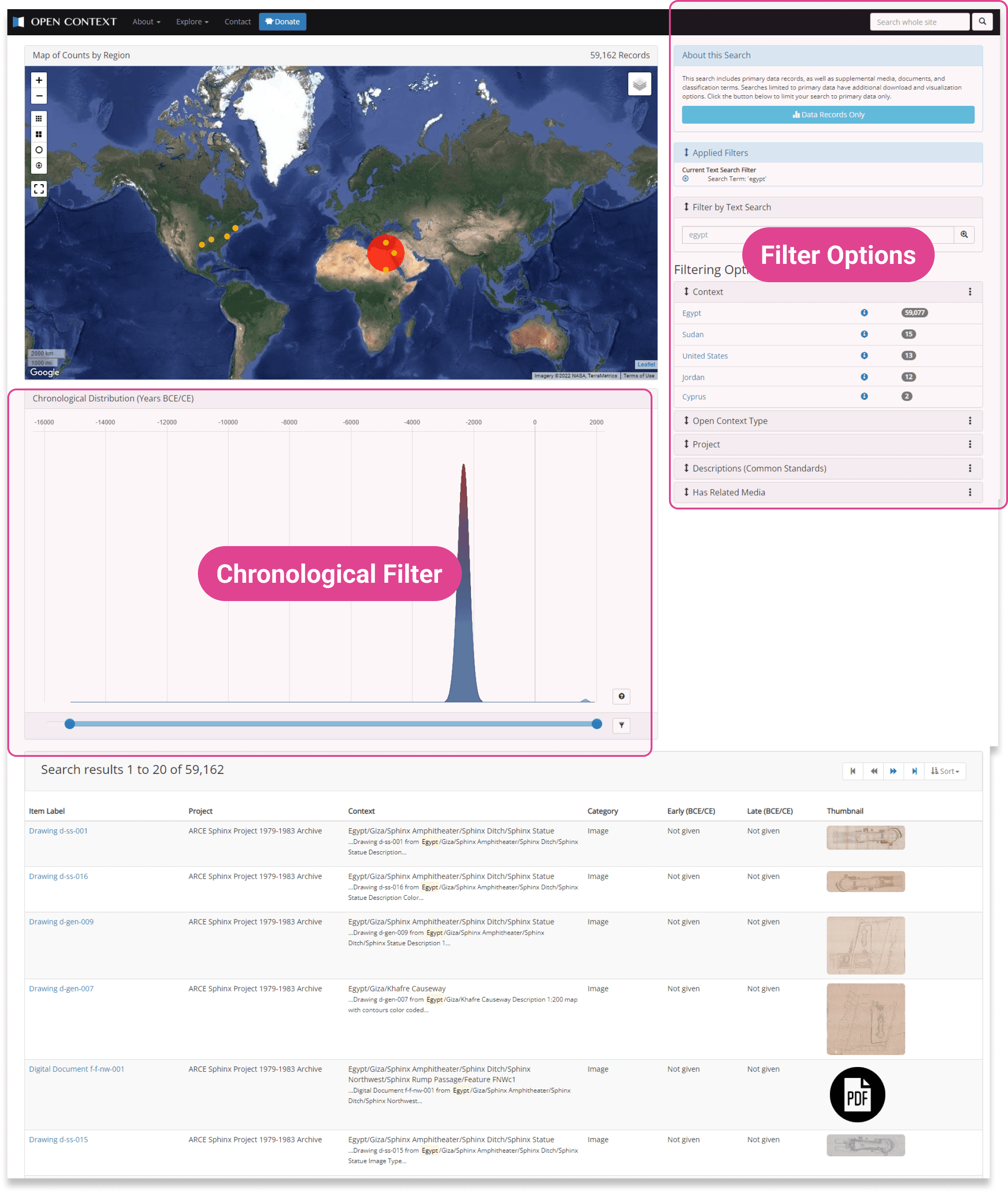
Uncommon Filter Design
The layout of the filter is not intuitive and users tend to ignore the current filter. As part of filters, chronological filter and filter options are scattered.
Most participants in the interview think the chronological filter should be placed next to right filter bar.
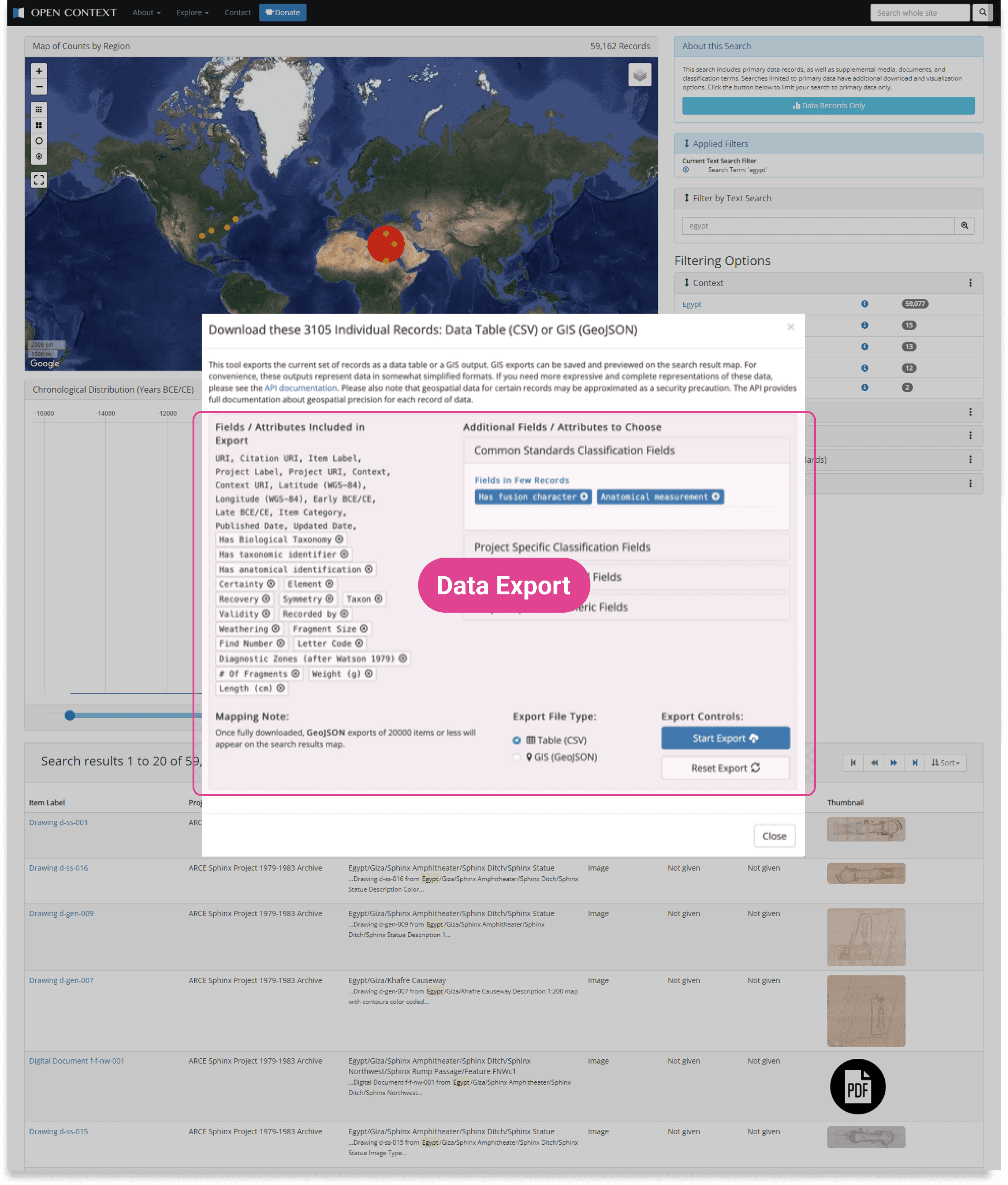
Uncommon Filter Design
Open Context has an advanced function that allows users to customize their exported data by selecting and removing additional attributes but too much information overloads users.
With current data export form, users cannot recognize, select unfamiliar attributes in the export section without training. Adding/removing these unfamiliar fields confuses users.
Research
Problem statement
How can we make searching and exporting data a simple, seamless, and positive experience for users?
Brainstorming
Inspiration from map-based search software
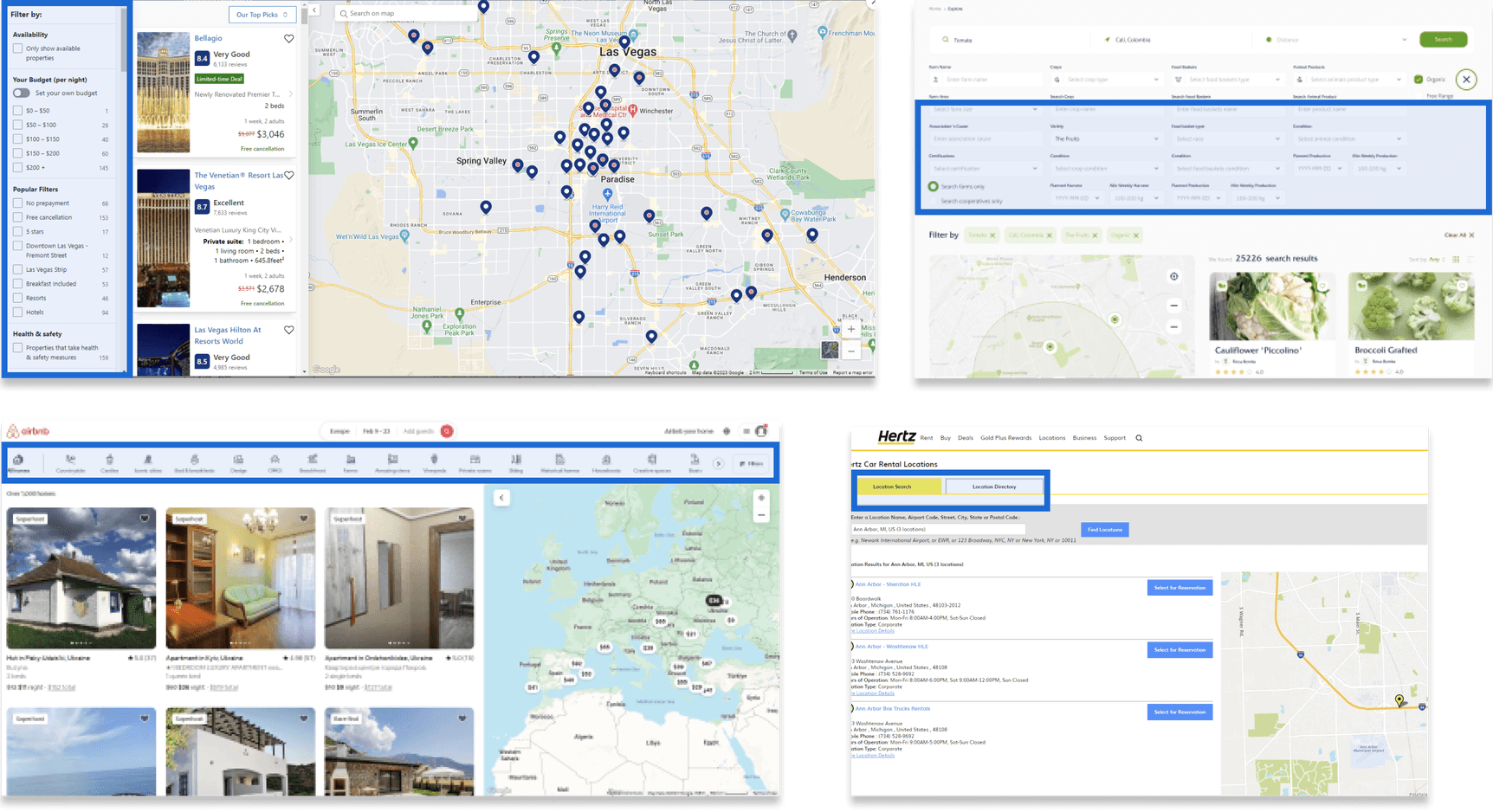
The list of features had a lot of overlap with map-based software such as google map, airbnb and hertz.
So I started investigating which filter design patterns - Horizontal bar, side bar and Pop-up menu we could understand the common filter design in the other websites and leverage for our own UI.
Framework
Design principles
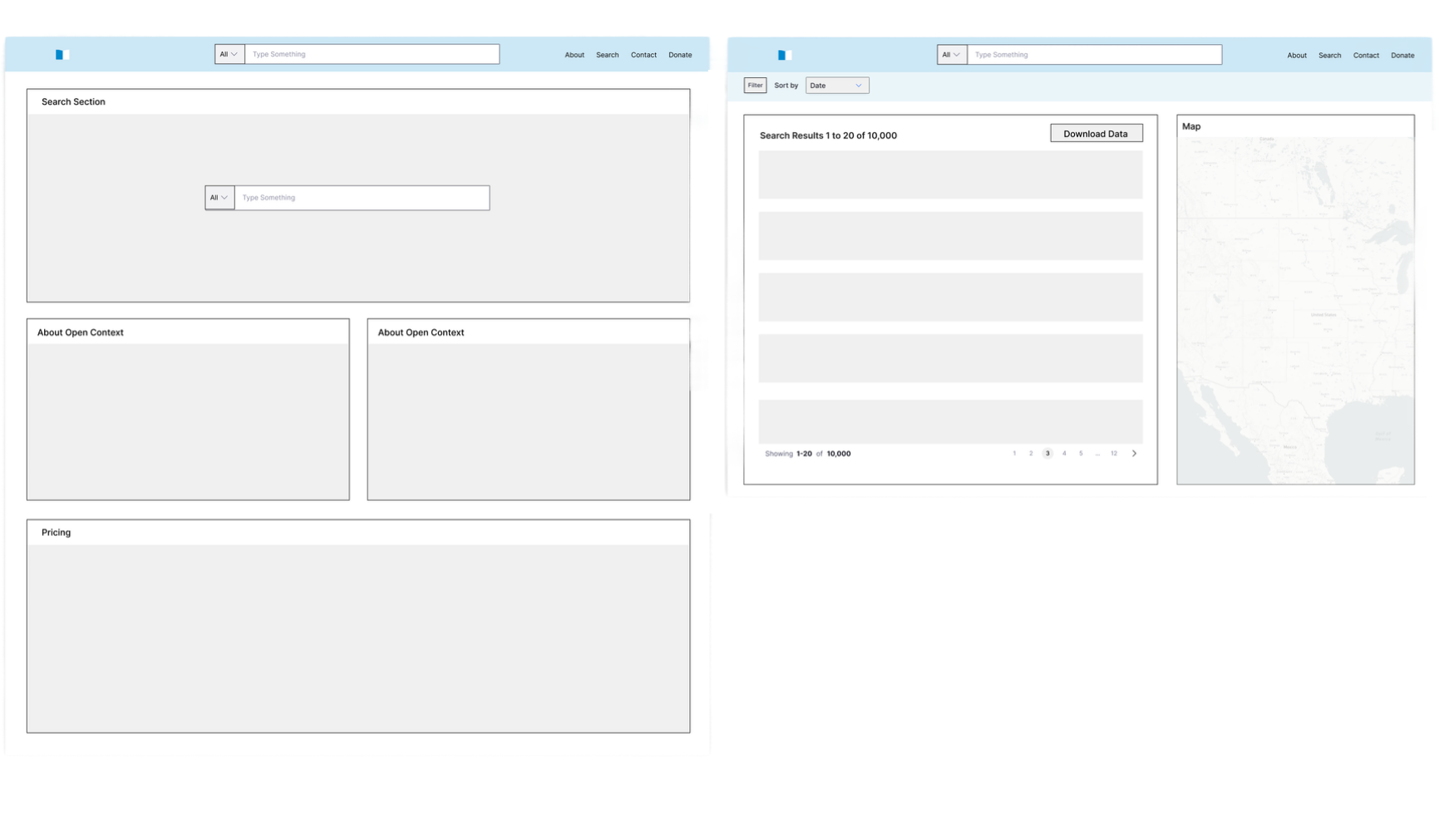
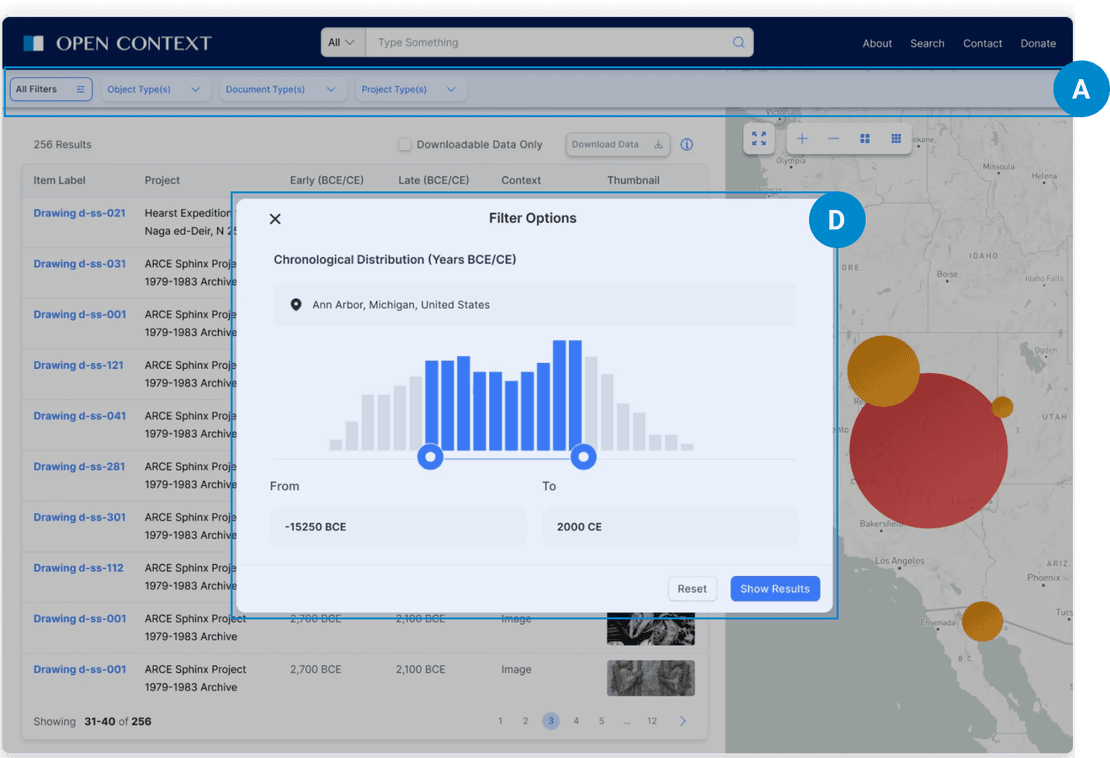
Biggest change was I placed filtering options menu and search results on the same screen for users to view them simultaneously and decrease the difficulty of navigating between features. I also group chronological distribution sliders in the filter options to address users' problems in locating the search time filters.
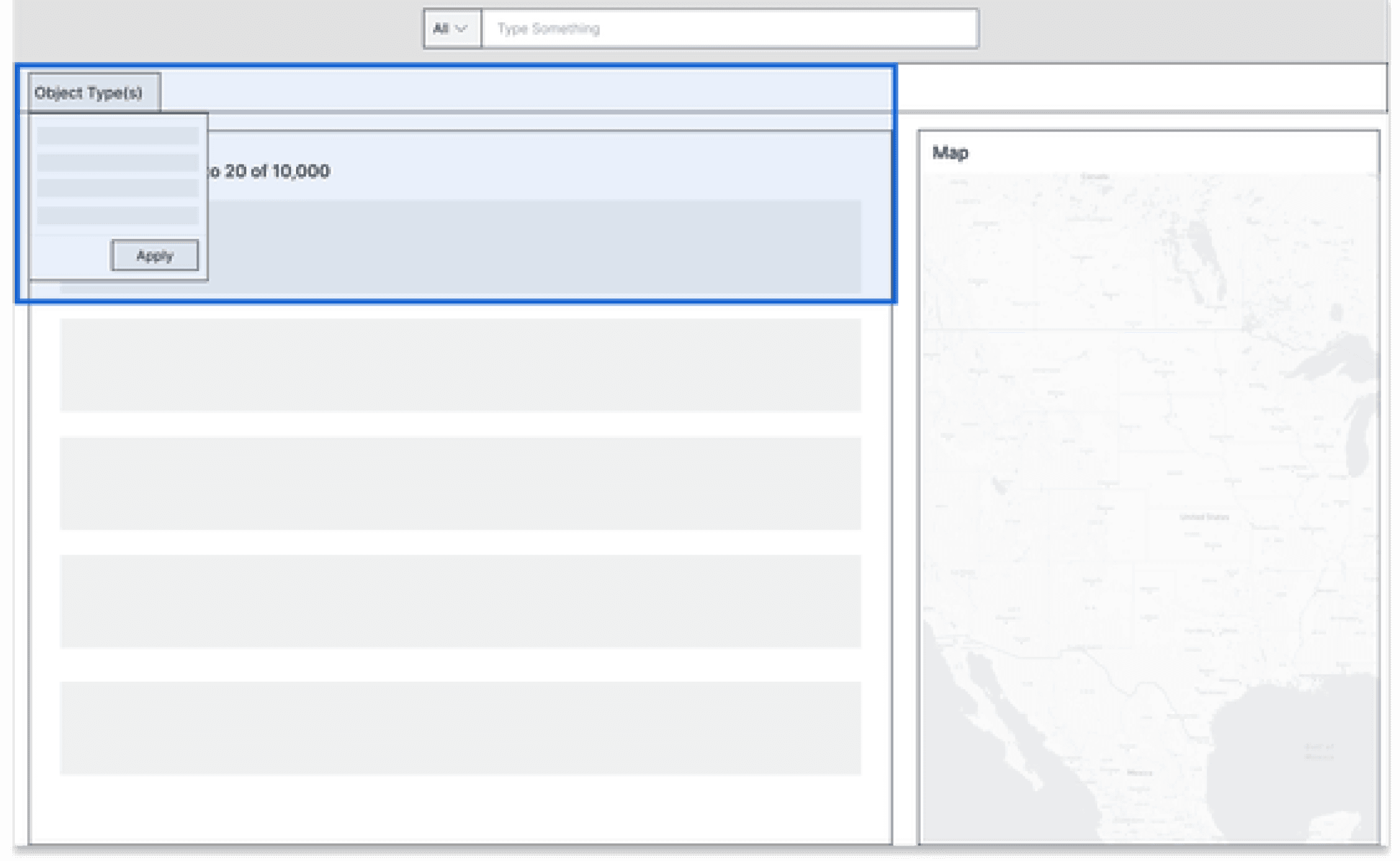
Horizontal Bar
Pros: Easy to remove/change filters
Cons: Not feasible for many filter options
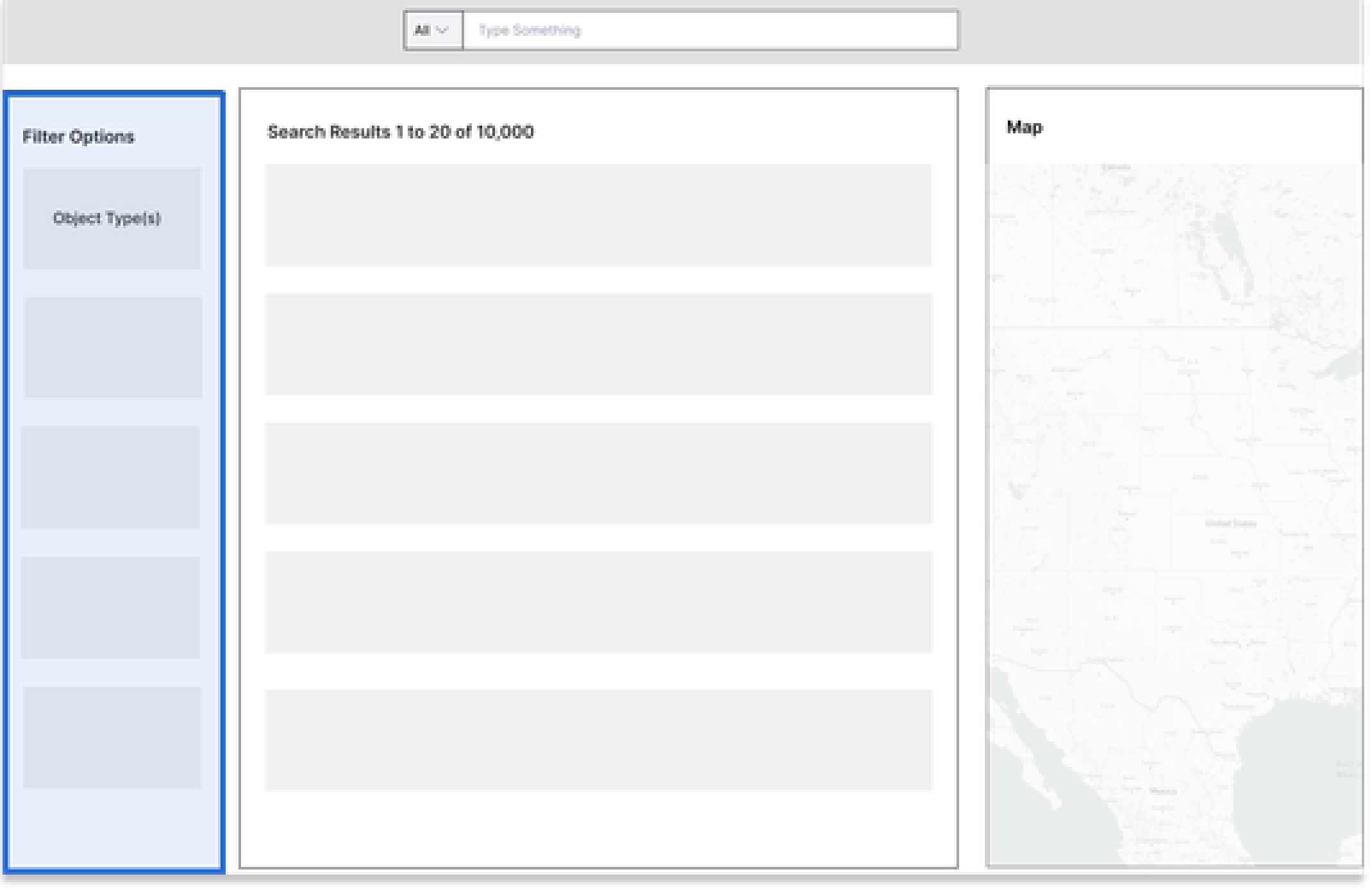
Side Bar
Pros: EasyPros: Work well with a lot of filter options
Cons: Take too much space to remove/change filters
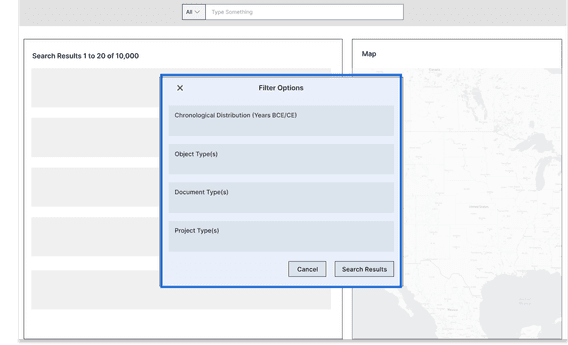
Popup Modal
Pros: Provide enough space for content
Cons: Hard to remove/change filters
Solution
Final polish
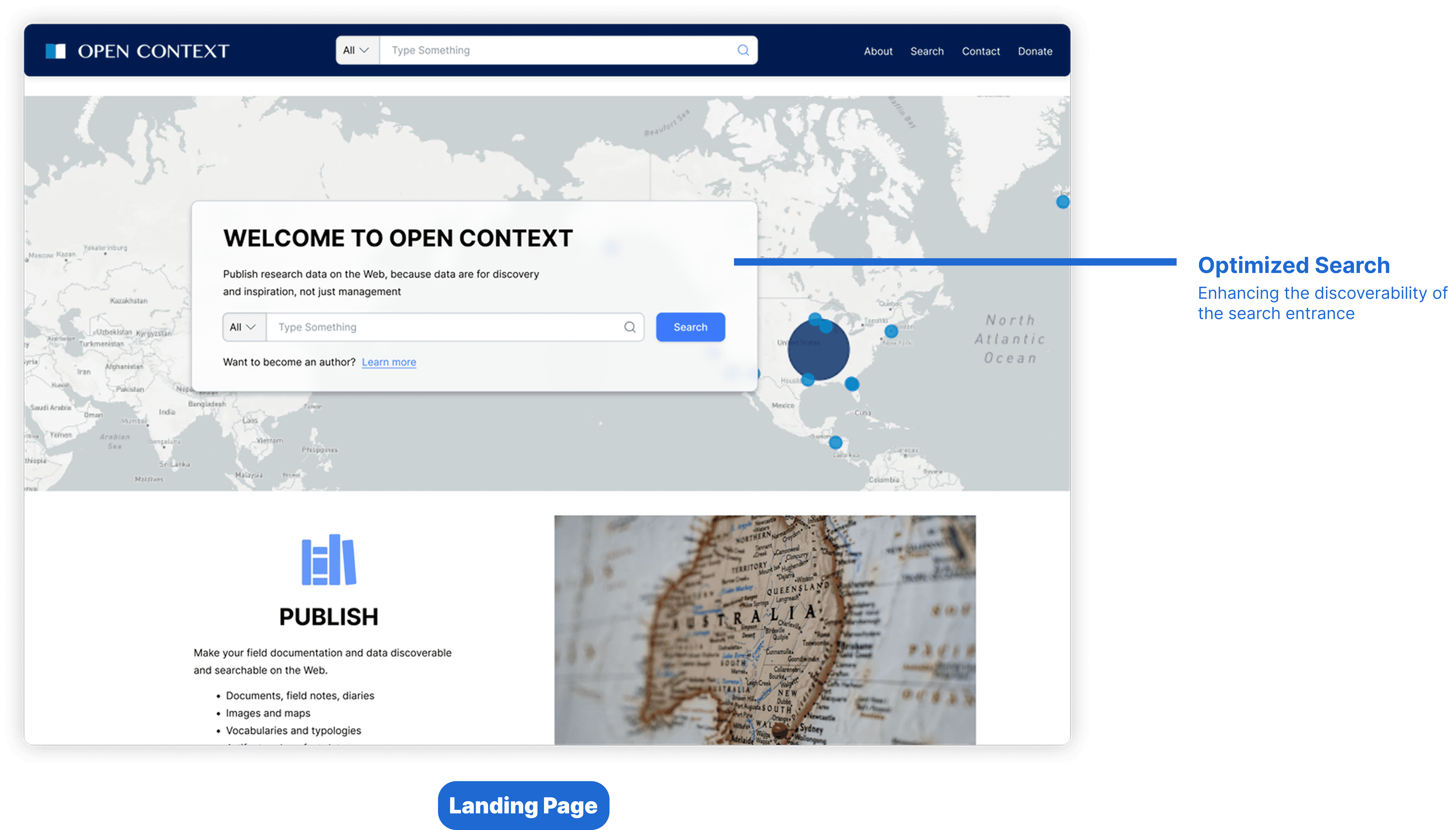
Enhance data search page to allow users to quickly search and filter results
Functions on the same screen to optimize the use of space
Prioritize frequently used functions by positioning them in a centralized position
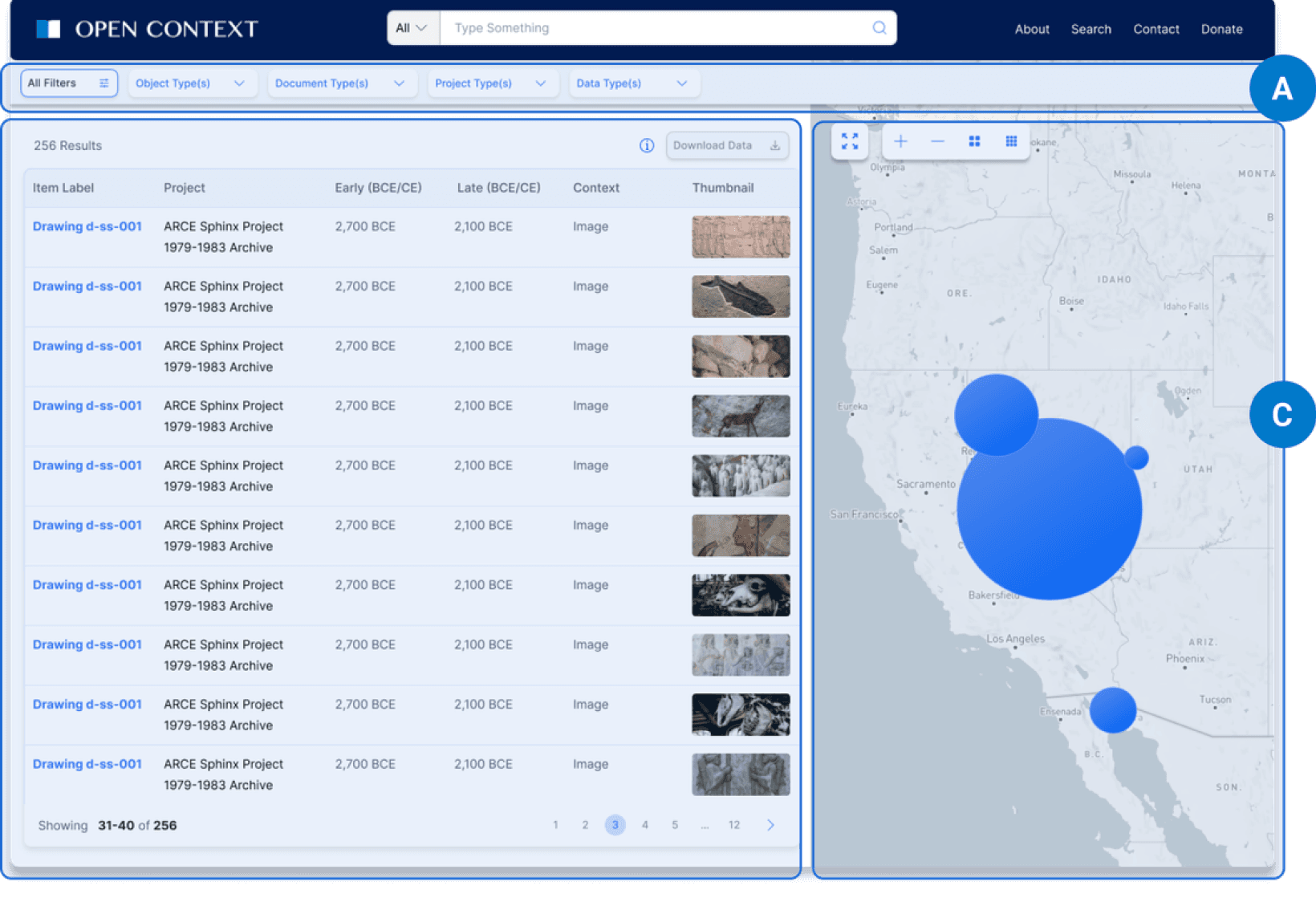

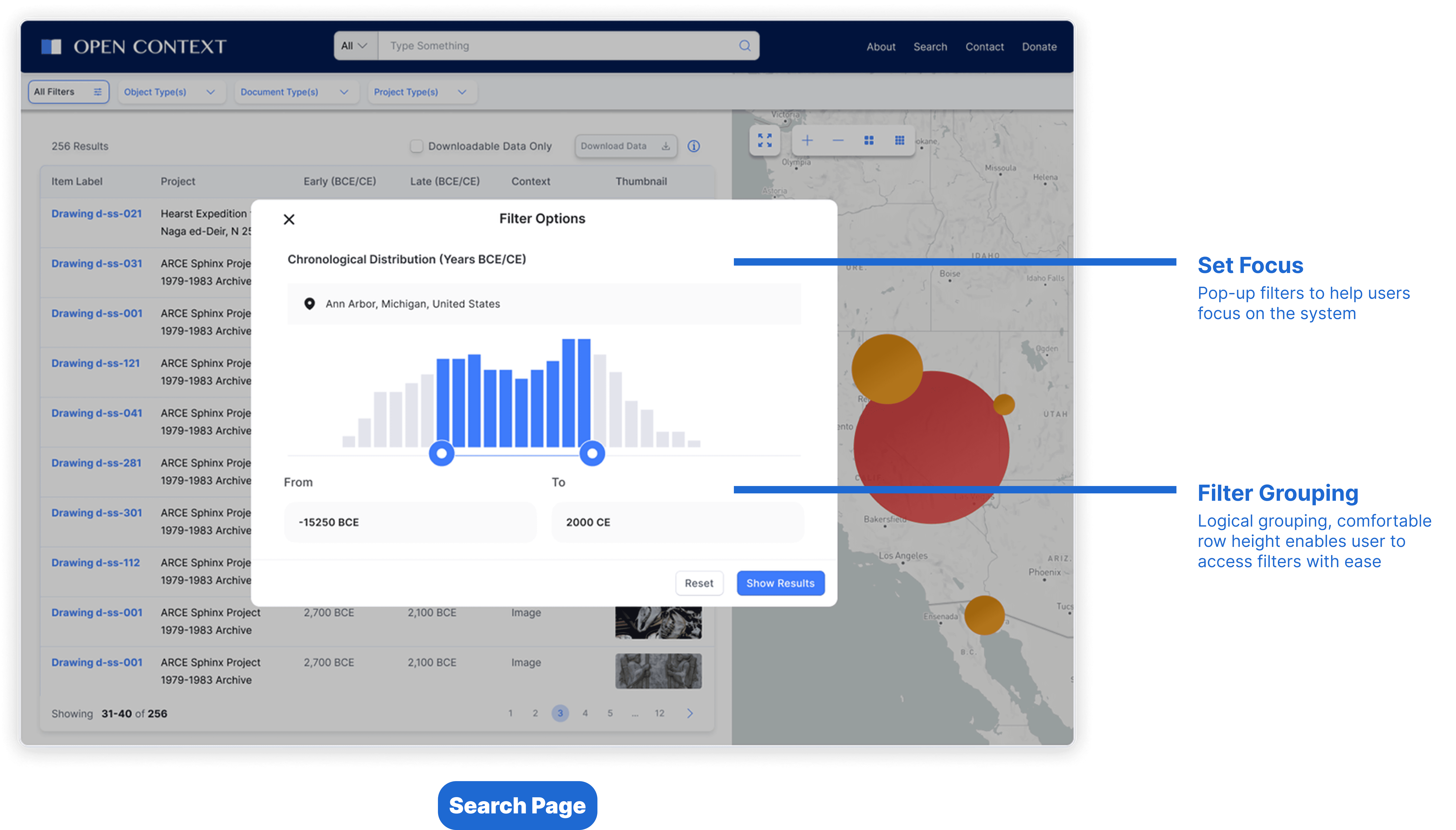
Optimize the filter using logical grouping to make it easy for users to change filters
Group the scattered filters together to make it easier for users to locate them
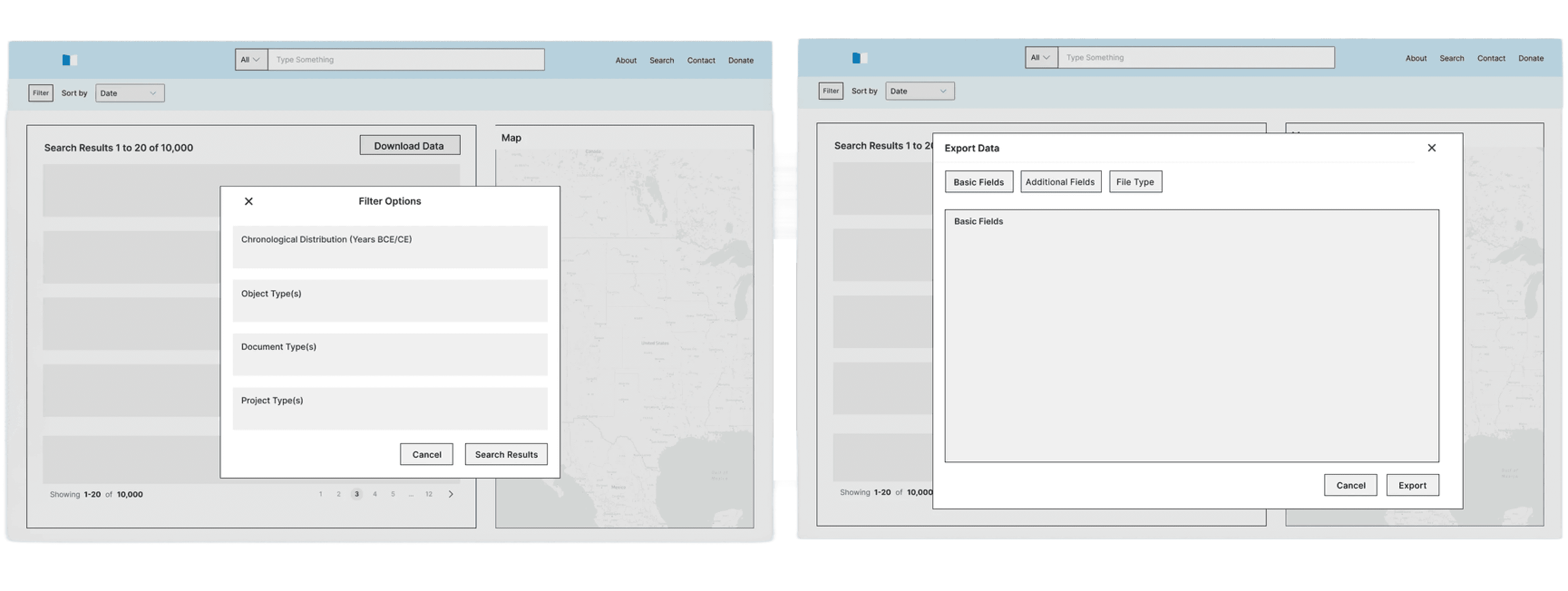
Replace right side filter with pop-up menu+horizontal bar

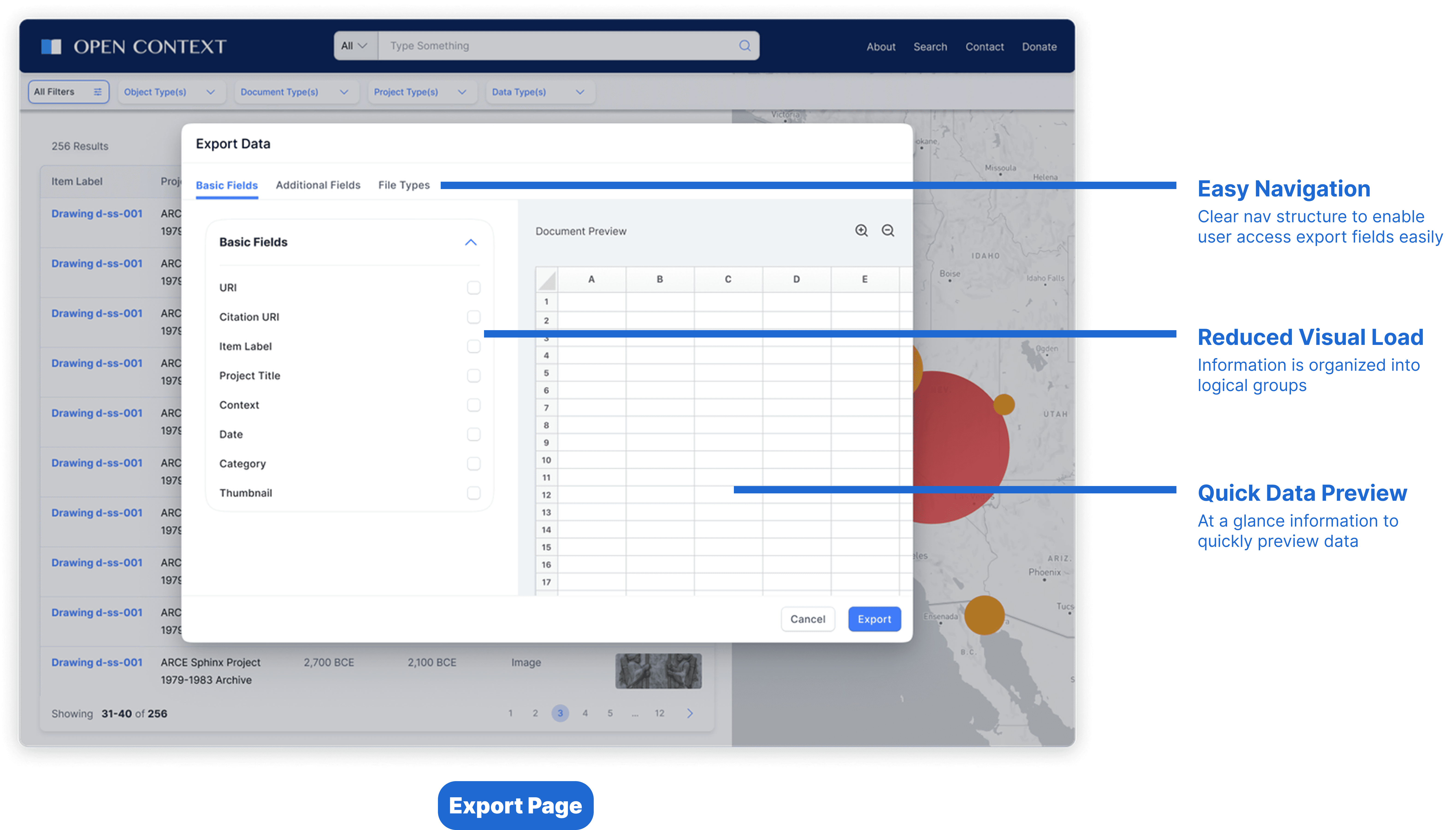
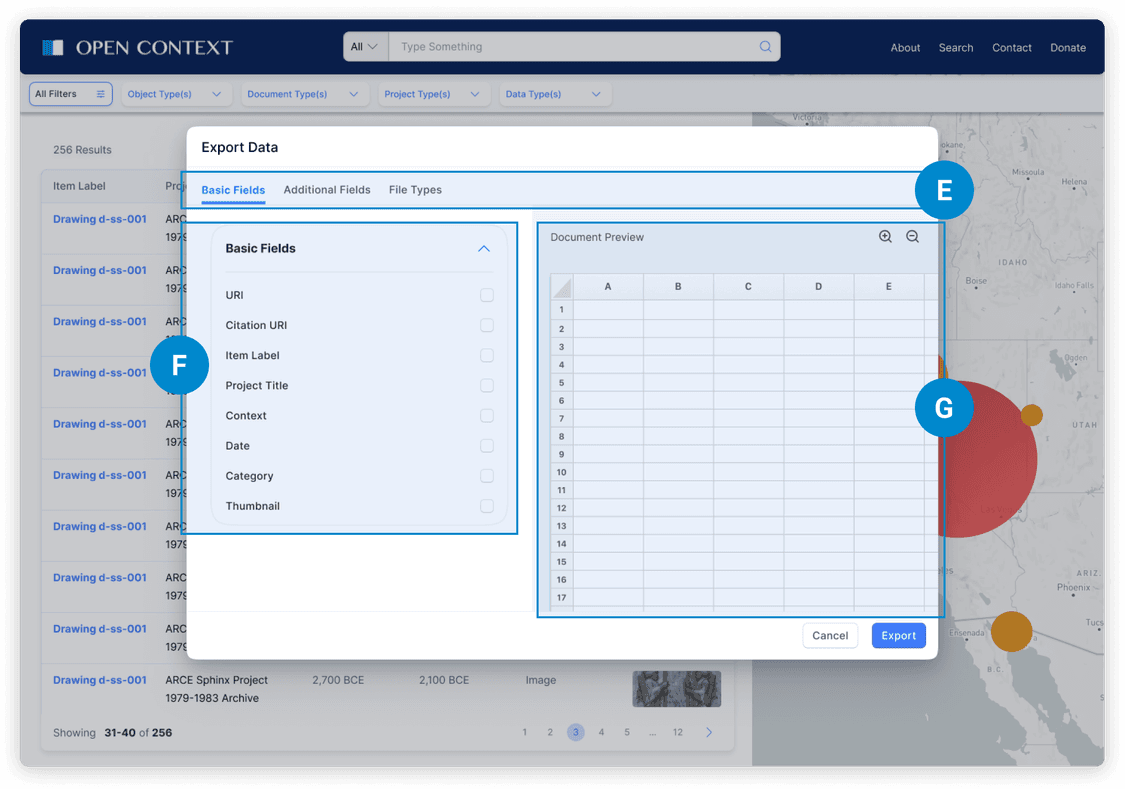
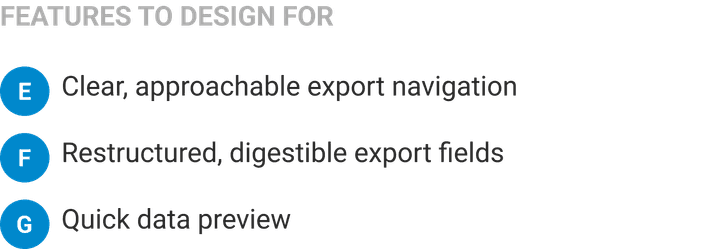
Reduce visual load with digestible information to help users make decisions easily
Divide content into smaller parts by using a nav bar to break up info
Add a preview section on the right side for users have an overview of downloading content
Challenge and Explorations
🤔 How might we validate design when resources and budgets are limited?
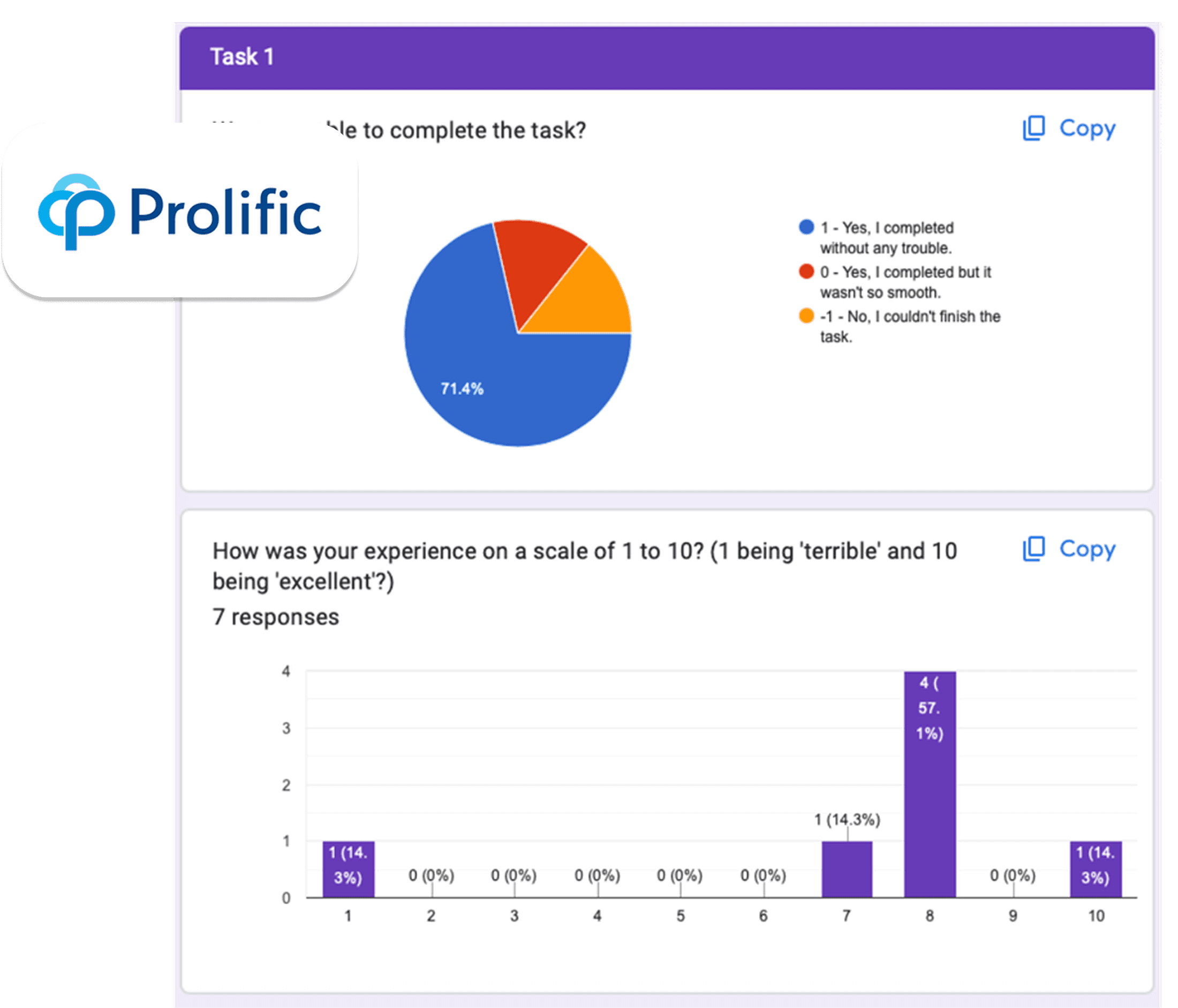
Due to lack of resources to conduct in-person user testings, I proposed to the team with unmoderated usability testing and use Prolific to send out surveys with target population to test out Hi-fi prototype.
7 respondents from our user pool
During each task, I gathered success metrics including completion rate, satisfaction rate and user’s willingness and comfort level with using our new design to finish each task
I used Google Spreadsheet and the analysis tool in Google Forms to analyze the quantitative data.
Challenge and Explorations
Design iteration
With user feedbacks, I iterated the design for usability and ease of use.
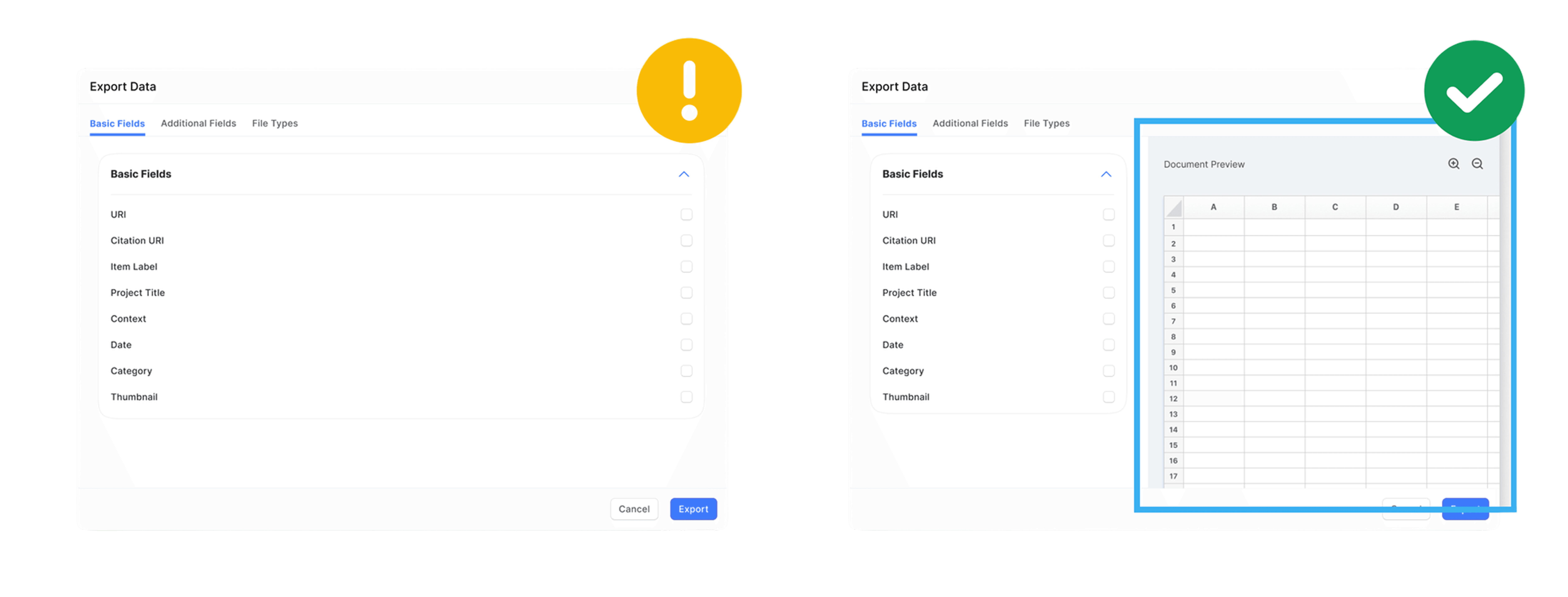
Design change #1
Having a preview of the data in the export tab that could be presented with export options to provide an overview about the data.
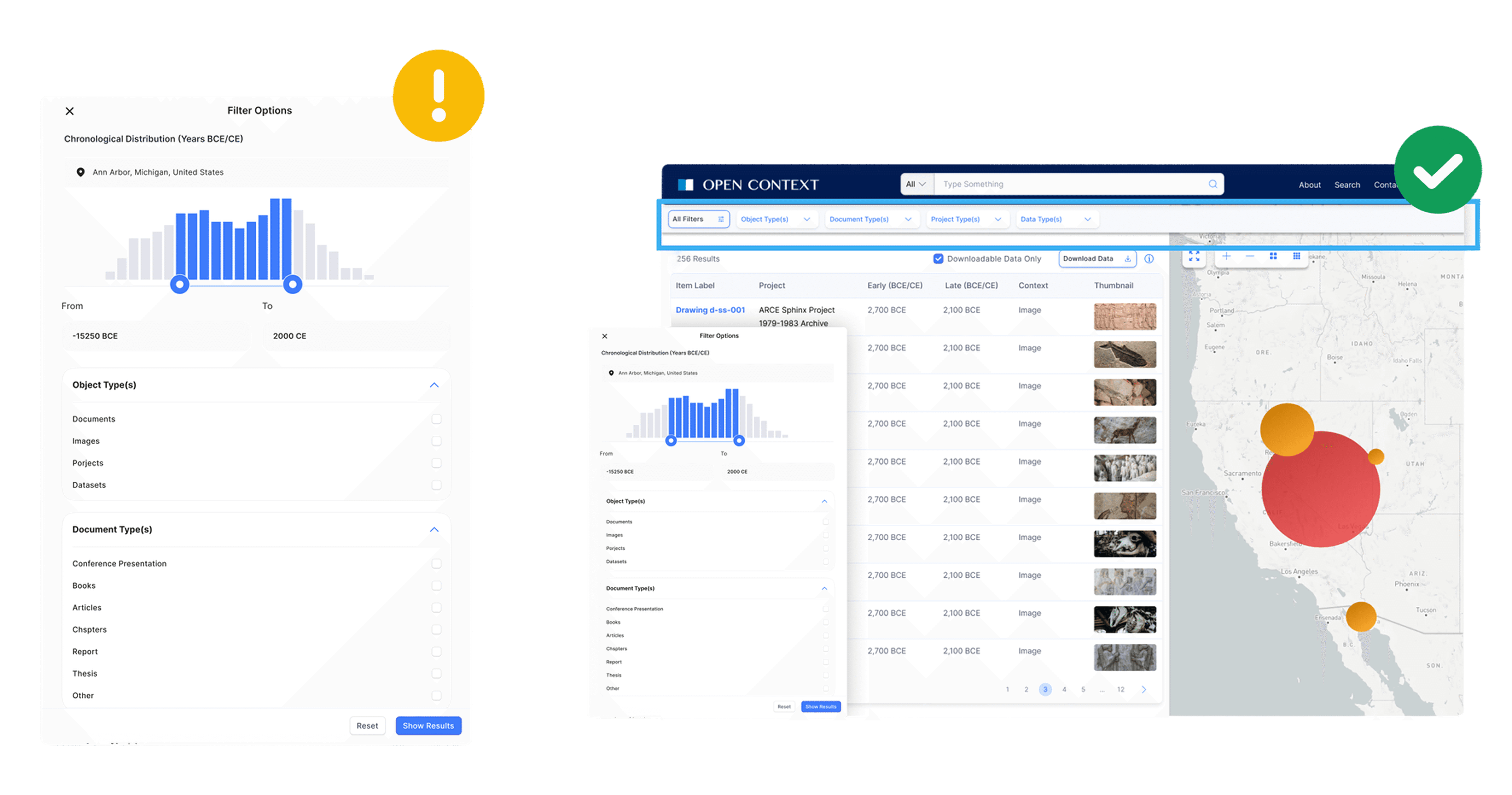

Design change #2
In addition to Filter Menus, displaying applied filters in the main interface makes it easy for users to change and remove filters and avoid confusion.

Documentation
Design handoff
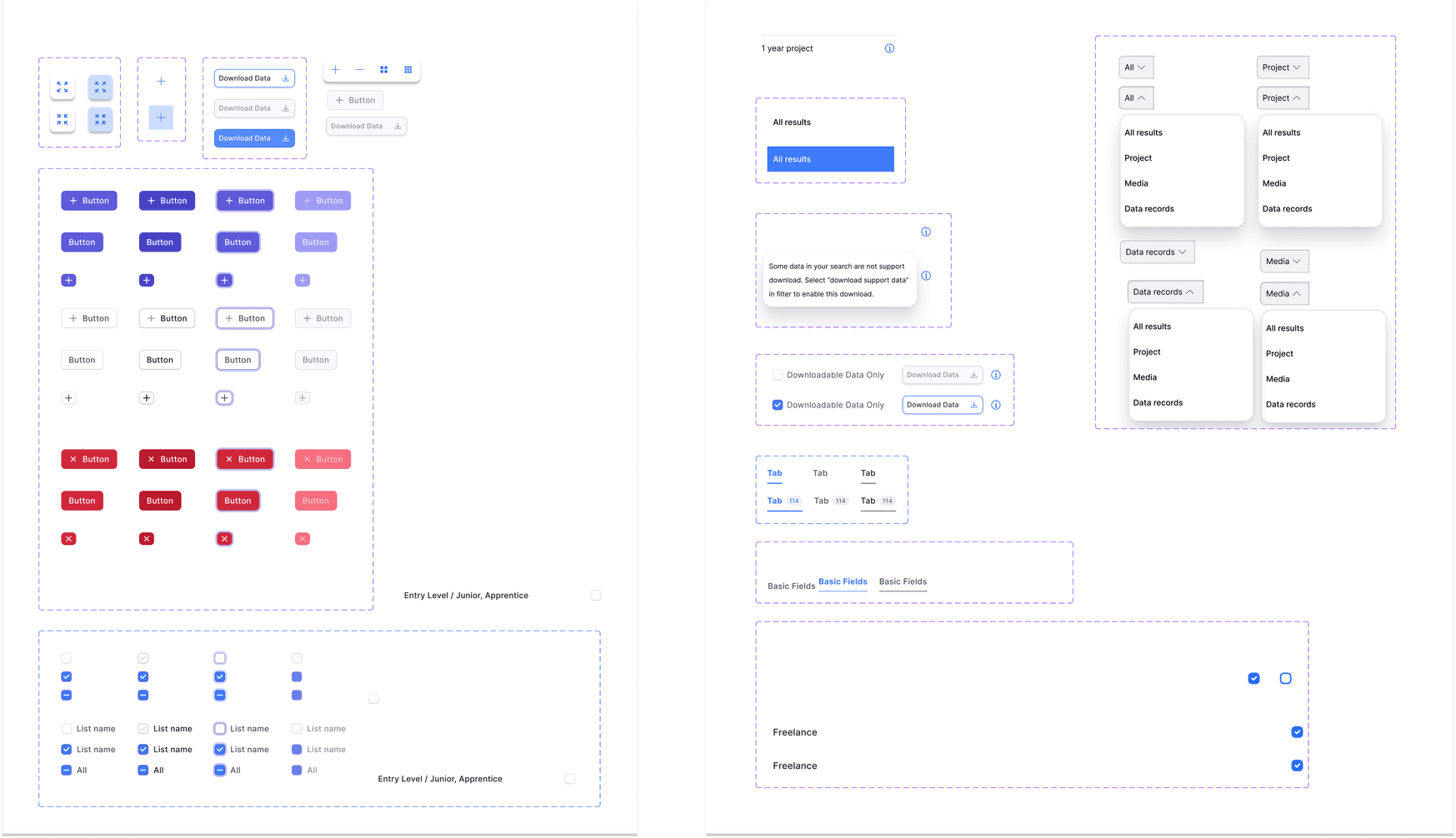
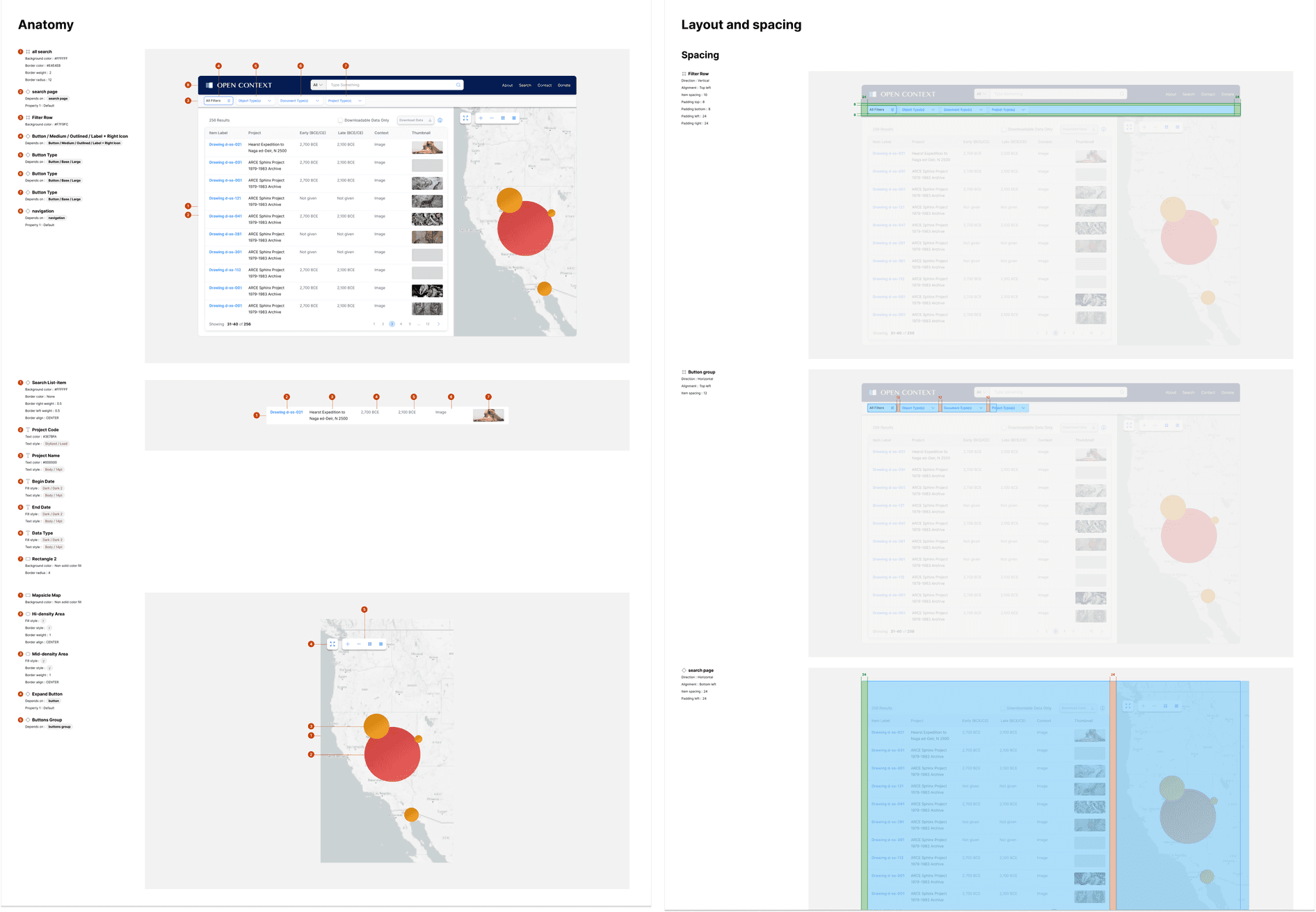
Hand-off documents for the develop team: design components including components, color, typography, icons, buttons, bars, responsive design guidelines with demo, and user flow and specs for core interfaces.
Results
Results
To validate the design solutions we have for addressing the prioritized pain points, we brought to testing a revised search experience and got positive feedback. After we re-ran the experiment, we were able to positively impact metrics including:

Outcome
Takeaways
Hand-off documents for the develop team: design components including components, color, typography, icons, buttons, bars, responsive design guidelines with demo, and user flow and specs for core interfaces.
Don’t deviate from familiar design patterns
Use familiar interaction patterns that matches users’ mental models
Get stakeholders involved early and often
Work closely with project manager, engineers and other designers to solicit feedbacks
Always brainstorm potential pitfalls for users
To design better experience, prevention is better than a cure